Sol-Ark Battery Integration Guide | SK140-0026-005 37
Inverter programming and connections
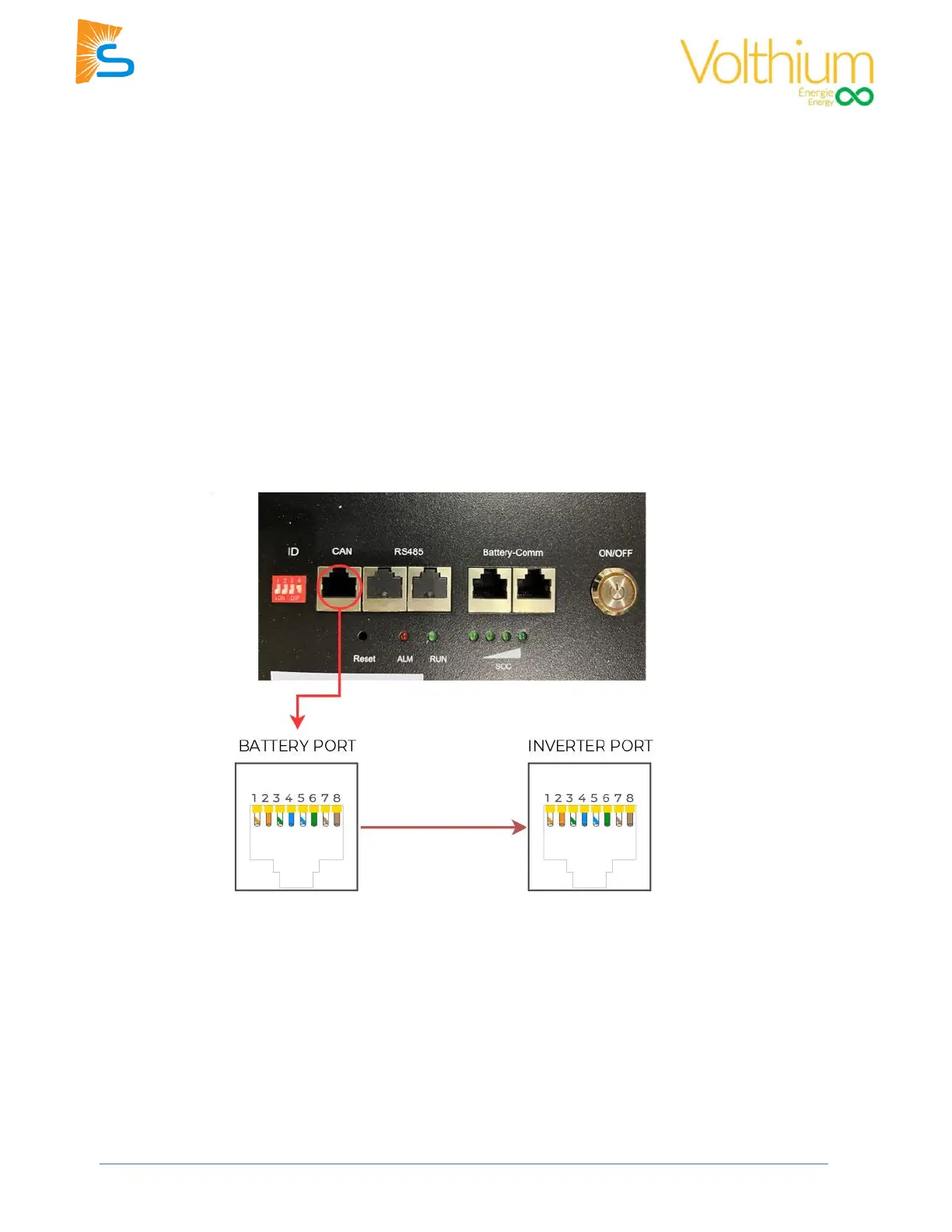
1. Connect a standard CAT5/6 cable between the “CAN” port on the Master battery and the “Battery
CANBus” port (outdoor-rated models) or the “CAN” port (indoor-rated models) on the Sol-Ark.
2. Turn on the power buttons of the batteries.
3. Turn on the breakers of the batteries and inverter.
4. Use a thin tool to press in the “RST” button in any of the batteries to turn all of them on. You can now
turn on the inverter if it is not on already.
5. Program the inverter with the appropriate charge/discharge settings according to the specific battery
manual and cable arrangement.
6. Enable “BMS Lithium Batt” and set its value to “00”.
7. Optional) Turn on “BMS_Err_Stop” if you want the system to fault on loss of battery communications.



 To Next Page