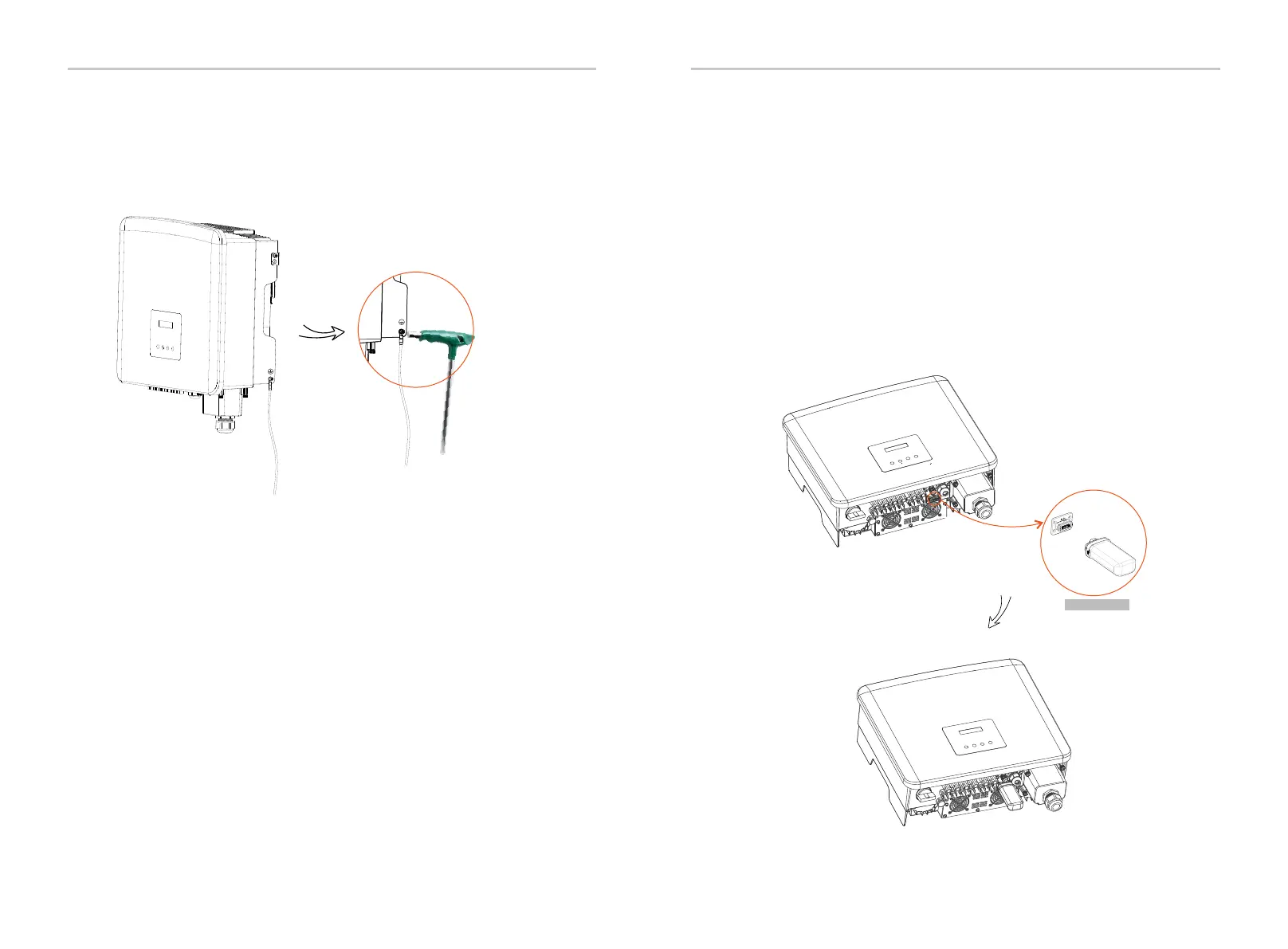
e) Tighten the ground screw with an inner hexagonal wrench as shown in
the figure below. (φ5 inner hexagonal screw. Torque:1.2±0.1 N·m)
6.4 Communication Connection
This product has a series of communication interfaces: such as
WiFi/LAN/GPRS, RS485/Meter, DRM and USB for upgrading for human
and machine communication. Operating information like output voltage,
current, frequency, faulty information, etc., can be delivered to PC or
other monitoring equipment via these interfaces.
This inverter provides a monitoring dongle connecting port (the Dongle
port) which can collect information from inverter including status,
performance and updating information to the monitoring website via
connecting WiFi/LAN/4G dongle (The monitoring dongle is optional, which
can be purchased from the supplier if needed).
Connection steps:
Please check the user manual of the WiFi dongle for more details.
The WiFi dongle
For example, insert the WiFi dongle into the port named “Dongle” on the
bottom of the inverter.
36 37
Electrical Connections Electrical Connections
6.4.1 Monitoring Connection (Optional)


 To Next Page
 Loading...