34
7.4.5 Battery Parallel Connection Setting
If there are more than one battery connected parallelly in the
system, one should do the following settings.
Procedure:
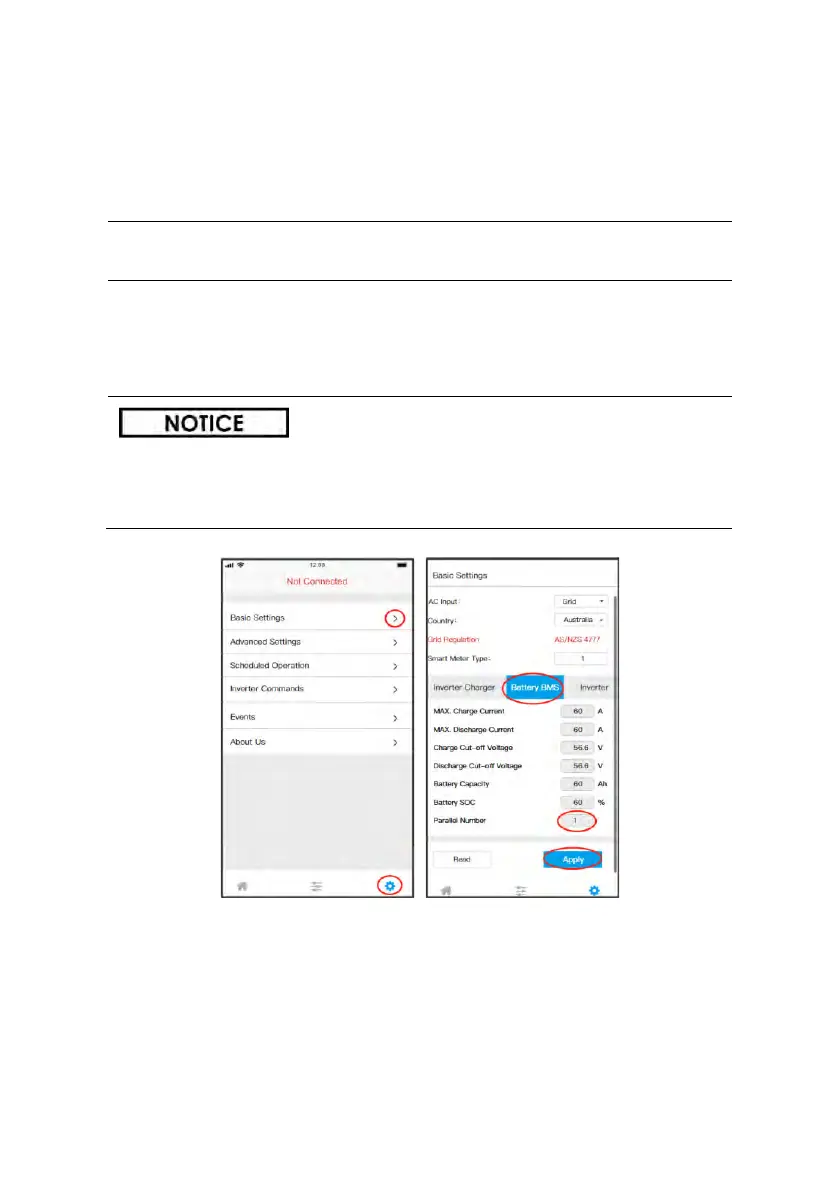
STEP 1: Enter the Setting interface
• Turn to Settings interface, click the “Basic Settings”.
STEP 2: Set the number of paralleled batteries
• Click the “Battery BMS”;
• Write in the number of paralleled batteries;
• Click “Apply”, to save the settings.
This setting is only available for SOLTARO batteries.
The parallel connection of other batteries should follow
instructions of corresponding battery vendors.



 To Next Page