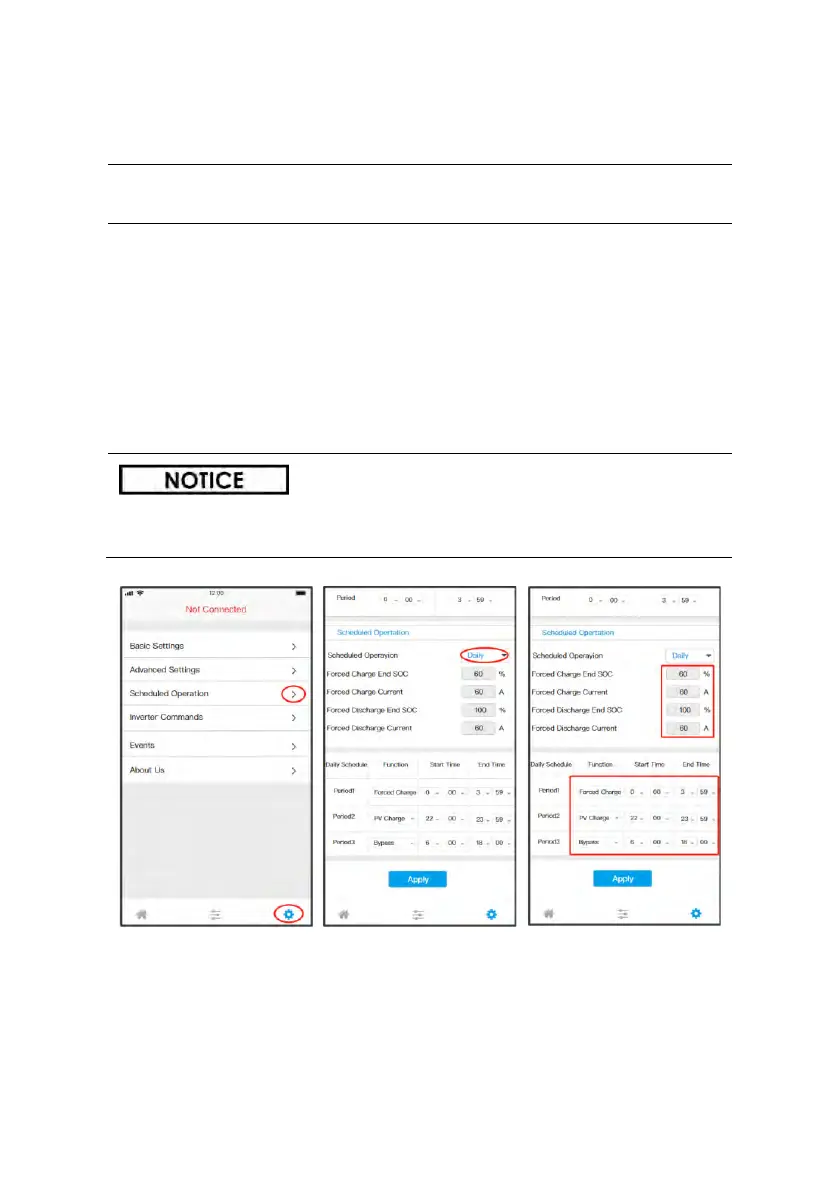
STEP 1: Enter the Setting interface
• Turn to Settings interface, click the “Schedule Operation”.
STEP 2: Set the Operation Periods and Parameter
• Enable the Scheduled Operation;
• Set the daily/weekly mode, according to your situation;
• Set the operation period and parameters, according to
your requirement;
• One can also set the discharge period for the EPS mode, if
necessary.
• Click “Apply” to save the setting.
If the scheduled periods conflict, the priority of period1 is higher
than period2, which is higher than period 3, and so on.



 To Next Page