MIC-10 / MIC-30 – USER MANUAL
5.3 Data transmission with OR-1 radio module
The feature is available in meters with serial number prefix AO.
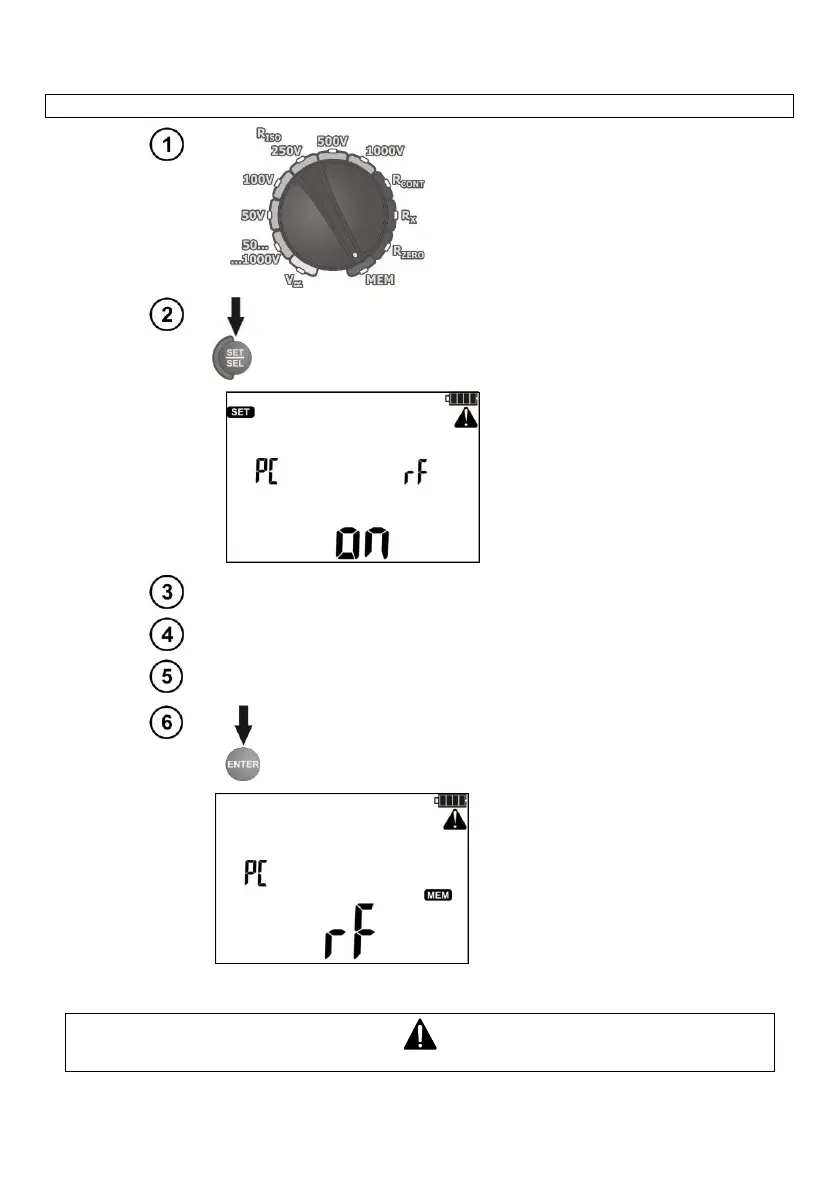
Set the rotary switch of function
selection at MEM position.
The meter displays the
screen of wireless
communication.
Connect OR-1 module to the USB socket of the PC.
Start data storing programme.
PIN code of an application must be compatible with the PIN code of
the meter defined in main settings.
Press ENTER to start the transmission.
Press ESC to exit the transmission mode.
Standard pin for OR-1 is "123".



 To Next Page