MIC-10 / MIC-30 – USER MANUAL
- If problems occur the meter displays ErrX (X – error code). Turn off and turn on the meter, all
incomplete updates are deleted and the meter starts to operate on the previous software. If another
updating attempt is not completed successfully, the meter should be returned to the manufacturer's
service.
7 Power supply of the meter
7.1 Monitoring of the power supply voltage
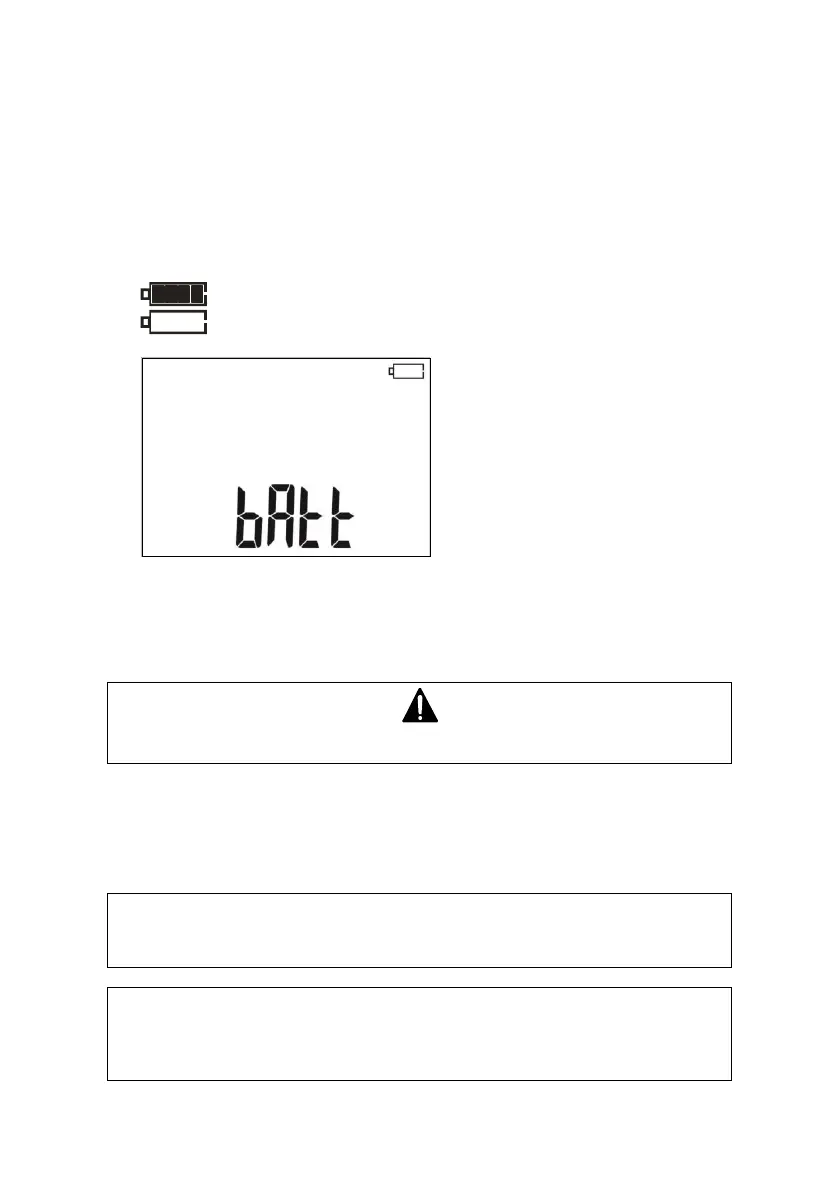
The charge level of the batteries or rechargeable batteries is indicated by the symbol in the right
upper corner of the display on a current basis:
Batteries/ rechargeable batteries charged
Batteries / rechargeable batteries almost discharged.
Batteries / rechargeable batteries
fully discharged.
The meter switches off
automatically.
7.2 Replacing battery/rechargeable batteries
MIC-10 / MIC-30 Meters are powered by four AA alkaline LR6 batteries or rechargeable batteries of
NiMH type.
NOTE! Before removing the battery cover, disconnect the test leads.
To replace the batteries/ rechargeable batteries:
1. Disconnect the leads from the measuring circuit and turn off the meter,
2. Unscrew the 4 screws at the bottom of the housing and remove the cover,
3. Replace all batteries/ rechargeable batteries with new ones.
4. Put on the and tighten the cover.
Note:
Rechargeable batteries must be recharged in an external charger.
NOTE!
Do not use the meter when the battery compartment is removed or open. Do not
power the meter from other sources than those mentioned in this manual.



 To Next Page