5
© Copyright 2018 Karaoke Home Entertainment www.khe.com.au / www.khe.co.nz / www.picknmix.com.au
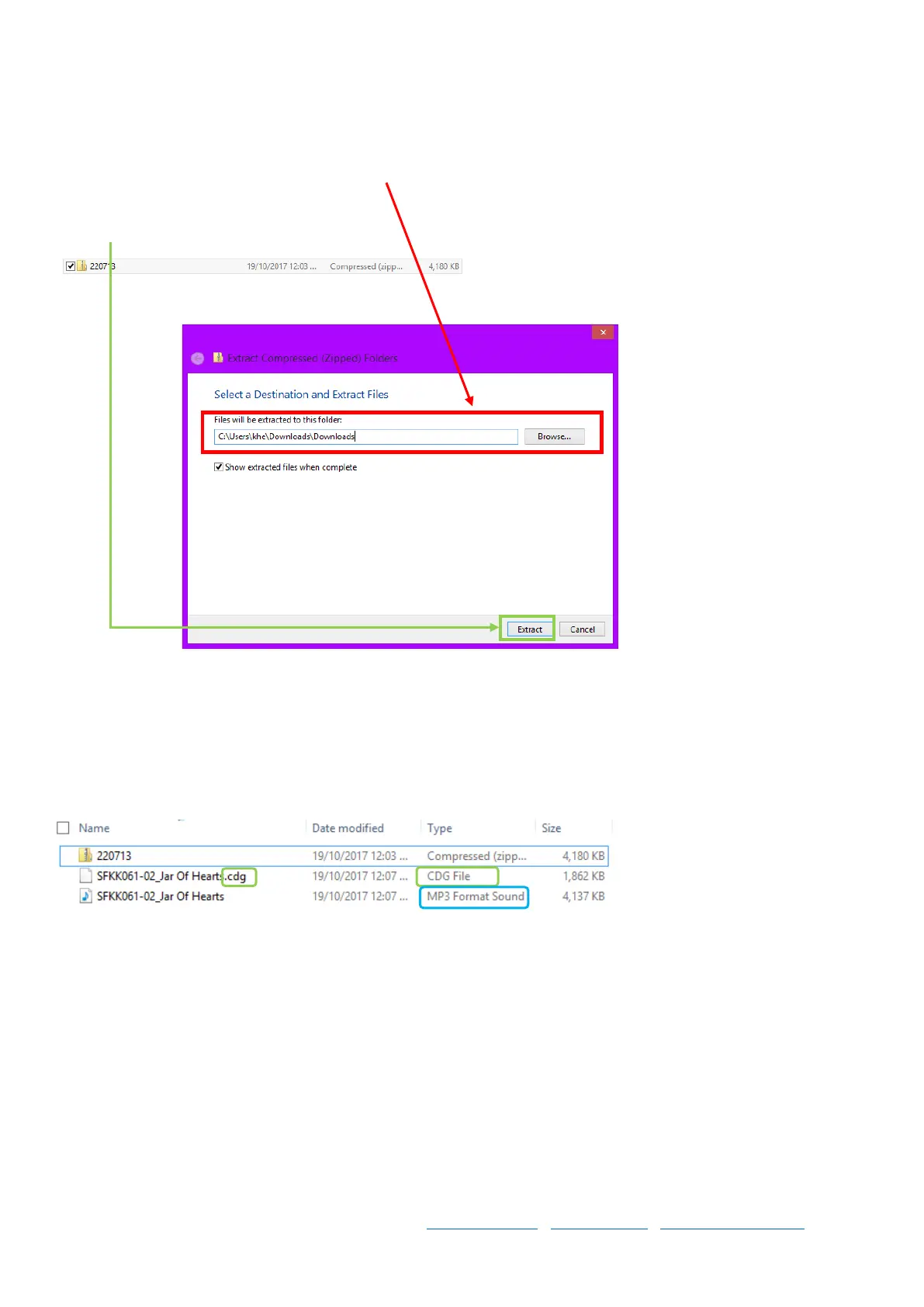
Step 12 Choose the destination to be your root folder, in this case Downloads is where I’ve put the song, I want the
two files to extract into the main folder.
Click Extract.
Step 13 You will now see the below, two files for the 1 song, and the zipped file, you can delete the zipped file. Keep
the two files.
One is .mp3 and the other is .cdg – the files must be named exactly the same except for this extension.
In a karaoke machine, these two files get played at the same time to give you the lyrics on screen and the music at
the same time. Now you just copy to your USB / HDD / SD Card / Device and load into your machine accordingly.



 To Next Page