4
© Copyright 2018 Karaoke Home Entertainment www.khe.com.au / www.khe.co.nz / www.picknmix.com.au
Step 10 Once you’ve completed the order, you will see under Order History, all your songs and a “DOWNLOAD”
button beside them.
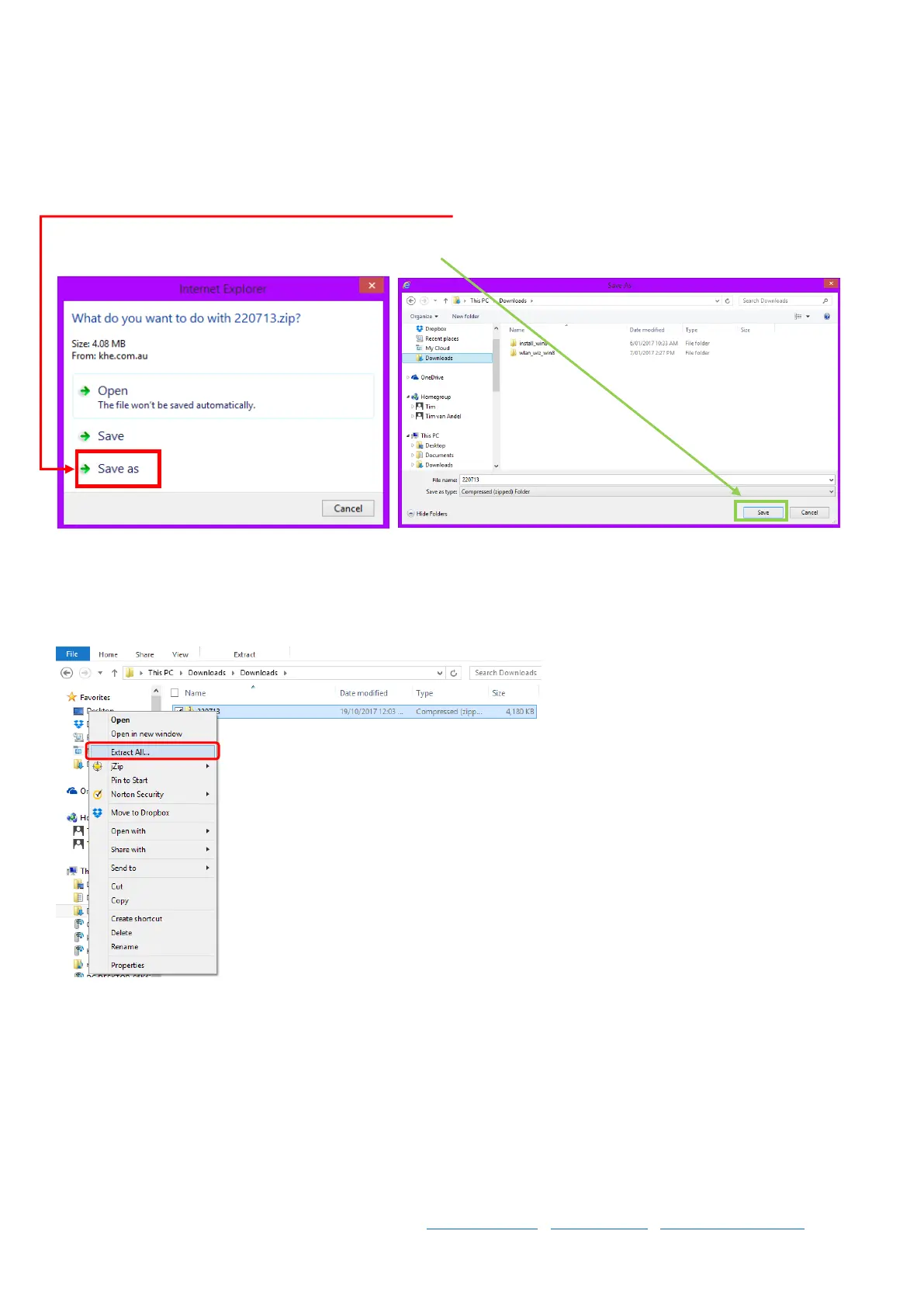
Click this button and you will see a bar / pop up, select Save As and choose your file location on your computer
where you want the songs to download to. And click Save. The song will now download.
Follow this step for the rest of your songs.
Step 11 Once completed you will need to unzip your files.
Right click on the file, select Extract All



 To Next Page