Section 4 Pachymeter Operation and Clinical Use
Section 4
PACHYMETER OPERATION AND CLINICAL USE
(For 300P and 300AP Models Only)
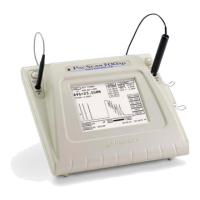
The Pachymeter mode of the PACSCAN™ series
allows for measuring and mapping corneal
thickness.
By placing the pachymeter probe against a
patient eye, an ultrasound image can be obtained
and translated into a corneal thickness
measurement. The measurement is displayed
and can be stored within the system’s memory at
a corresponding location on the corneal map.
After completion of measurements, a hardcopy
may be obtained of the results using the optional
thermal printer.
1. Select the [ PACHYMETER ] button on
the Main Screen (see Figure 4-1).
Figure 4-1. Main Screen Display
2. Ensure the Pachymeter Test Screen appears.
4.2
MEASUREMENT ACCURACY and
PR
BE
EN
ITIVITY TE
T
It is recommended that the functionality of the
P
ACSCAN™ be verified by means of the
measurement accuracy test and probe sensitivity
test prior to performing actual measurements.
The P
ACSCAN™ defaults to the Pachymeter Test
Screen every time the Pachymeter mode is
selected.
To perform the measurement accuracy test
procedure, follow these steps:
4.1
SELECTING PACHYMETER MODE
1. Make certain that the pachymeter probe is
not connected to the P
ACSCAN™ system.
2. Touch the [ MEASUREMENT
ACCURACY TEST ] button to begin the
test, which consists of an internal calibration
check which should generate a reading of
0.500 mm ±0.001 mm.
3. Verify that the “System OK” message
appears on the screen, thereby indicating
system electronic measurement accuracy is
acceptable.
IMPORTANT
If system measurement accuracy cannot be
verified, contact Sonomed service department
for further help.
!
It is recommended that the measurement
accuracy test be performed prior to obtaining
measurements; however, the test mode can be
skipped if so desired by touching any of the
other menu buttons on the right side of the
screen when the Pachymeter Test Screen
appears.
Doc # 0300-A-1901-3D 4 - 1



 To Next Page