Working Instruction, Mechanical
3/000 21-1/FEA 209 544/129 A
Company Internal
©
Sony Ericsson Mobile Communications AB
15(34)
3.1 Battery Cover
Follow the 2.1.1 Disassembly instructions!
Prepare the new Battery Cover.
Follow the 4.1.6 Reassembly instructions!
3.2 Battery
Follow the 2.1.1 Disassembly instructions!
Prepare the new Battery.
Follow the 4.1.6 Reassembly instructions!
3.3 RF Cap
Remove the RF Cap with a pair of tweezers or a Dental hook.
Prepare the new RF Cap.
3.4 Label Co-Brand Inlay
B
E CAREFUL NOT TO DAMAGE THE PLASTICS
Remove the old Label using a Dental hook. Prepare the
new Label.
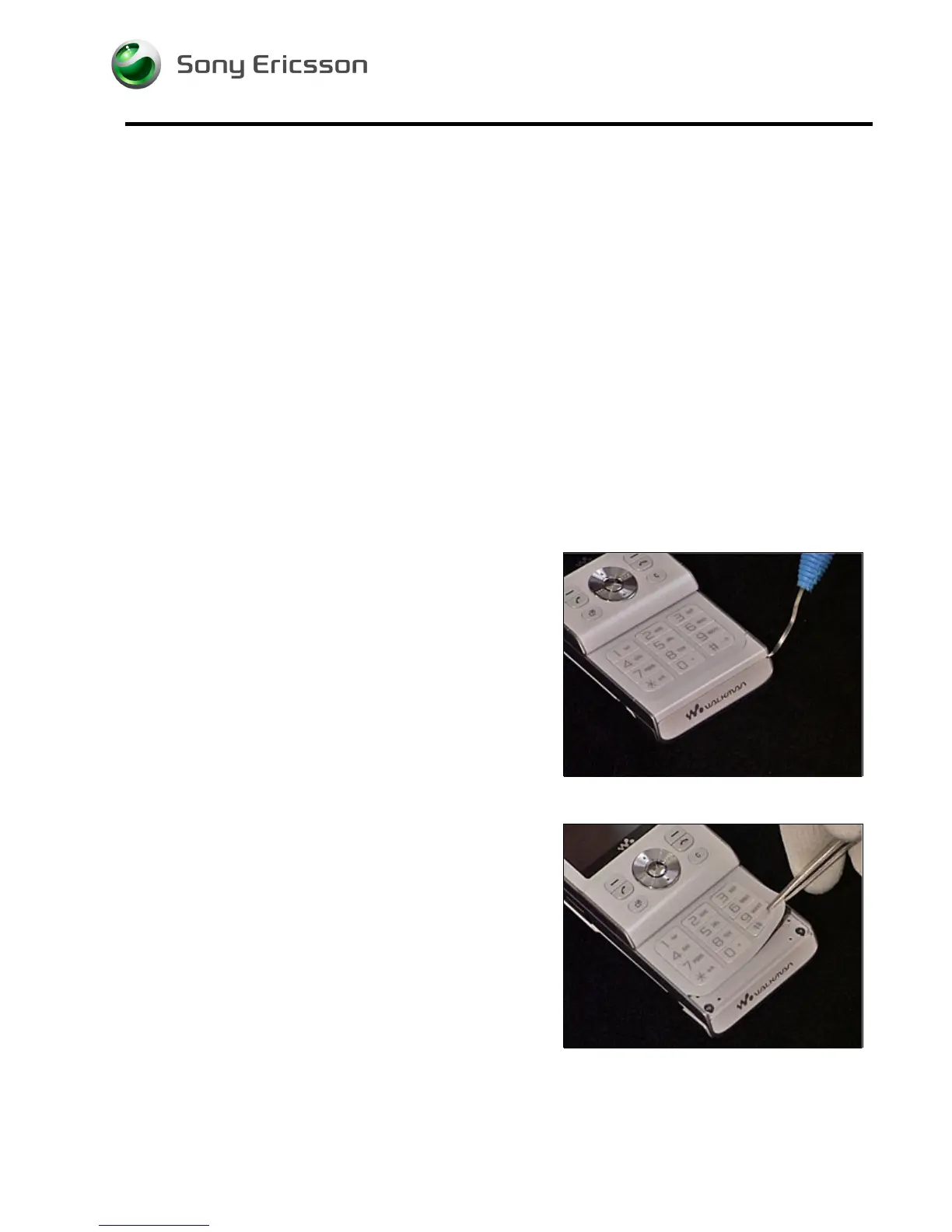
3.5 Keyboard Main
Follow the 2.1.1 - 2.1.2 Disassembly instructions to remove
the Antenna Panel!
B
E CAREFUL NOT TO DAMAGE THE PLASTICS
Remove the old Keyboard using a pair of tweezers. Prepare
the new Keyboard.
Follow the 4.1.5 - 4.1.6 Reassembly instructions!













 To Next Page