Working Instruction, Mechanical
3/000 21-1/FEA 209 544/129 A
Company Internal
©
Sony Ericsson Mobile Communications AB
29(34)
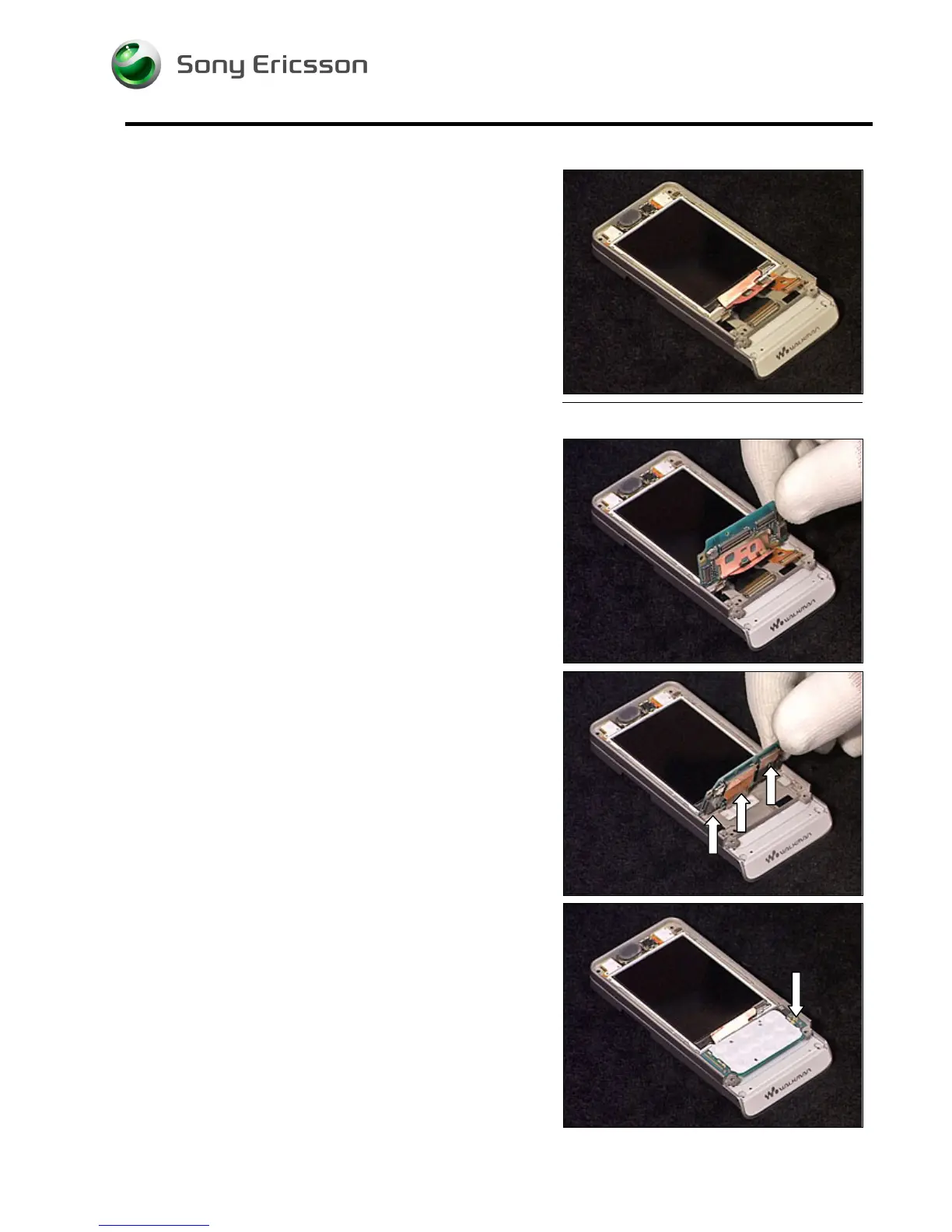
4.1.1 Display
Position the Display into the Cover Upper Rear and slide it
into position.
4.1.2 Navi Key PBA
Position the Navi Key PBA as shown in picture.
Carefully connect the 3 Board to Board connectors.
M
AKE SURE THE
D
ISPLAY IS IN CORRECT POSITION
Carefully fold down the Navi Key PBA into position.
Insert and tighten the screw (JCIS 10Ncm).













 To Next Page