Working Instruction, Mechanical
3/000 21-1/FEA 209 544/129 A
Company Internal
©
Sony Ericsson Mobile Communications AB
7(34)
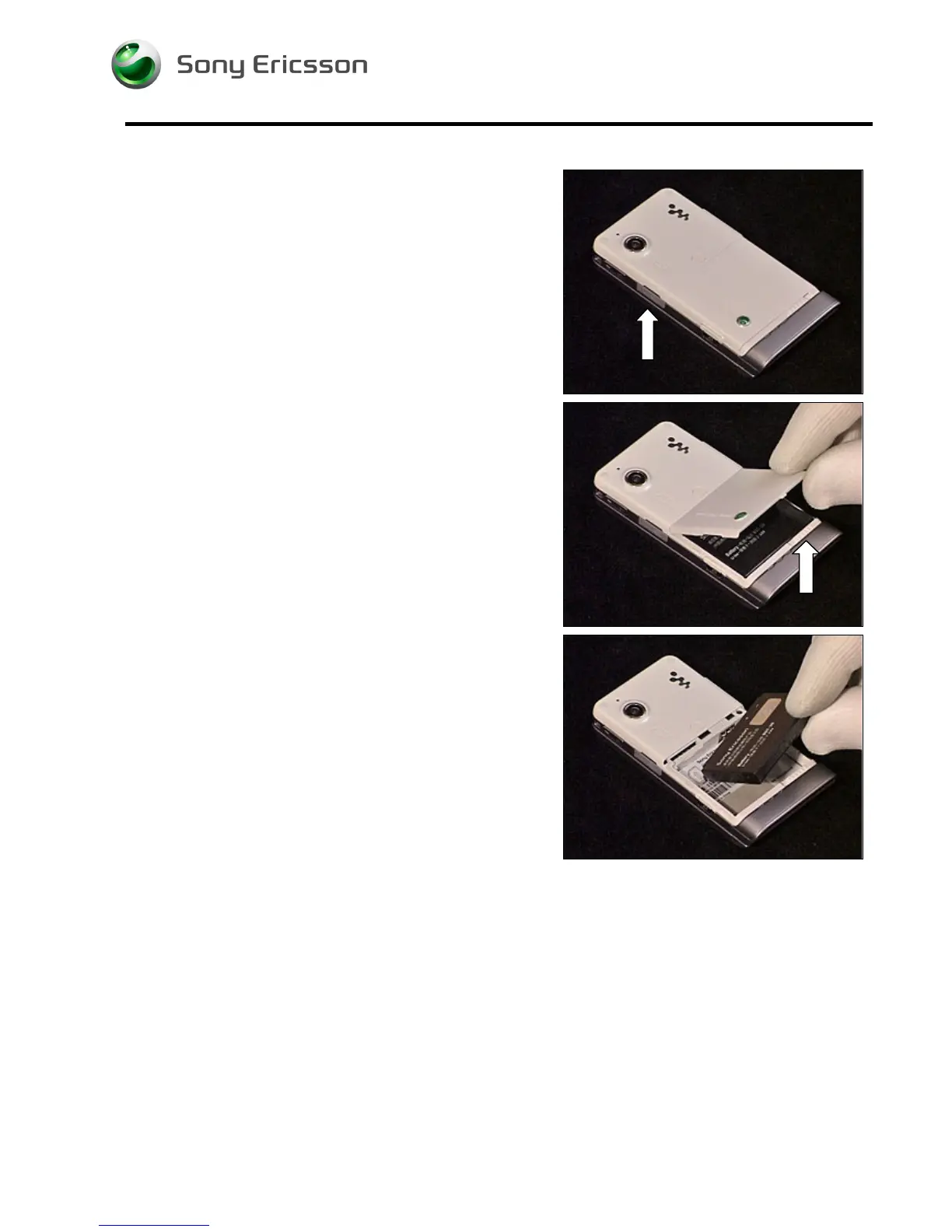
2.1.1 M2, Battery Cover and Battery
Open the MemoryStick Cap and remove the M2
MemoryStick.
Unlock the Battery Cover and remove it.
Remove the Battery.













 To Next Page