Working Instruction, Mechanical
3/000 21-1/FEA 209 544/129 A
Company Internal
©
Sony Ericsson Mobile Communications AB
17(34)
3.12 Key, Music
Follow the 2.1.1 – 2.1.2 Disassembly instructions!
Prepare the new Key.
Follow the 4.1.5 – 4.1.6 Reassembly instructions!
3.13 Cap, MemoryStick
Follow the 2.1.1 – 2.1.2 Disassembly instructions!
Prepare the new Cap.
Follow the 4.1.5 – 4.1.6 Reassembly instructions!
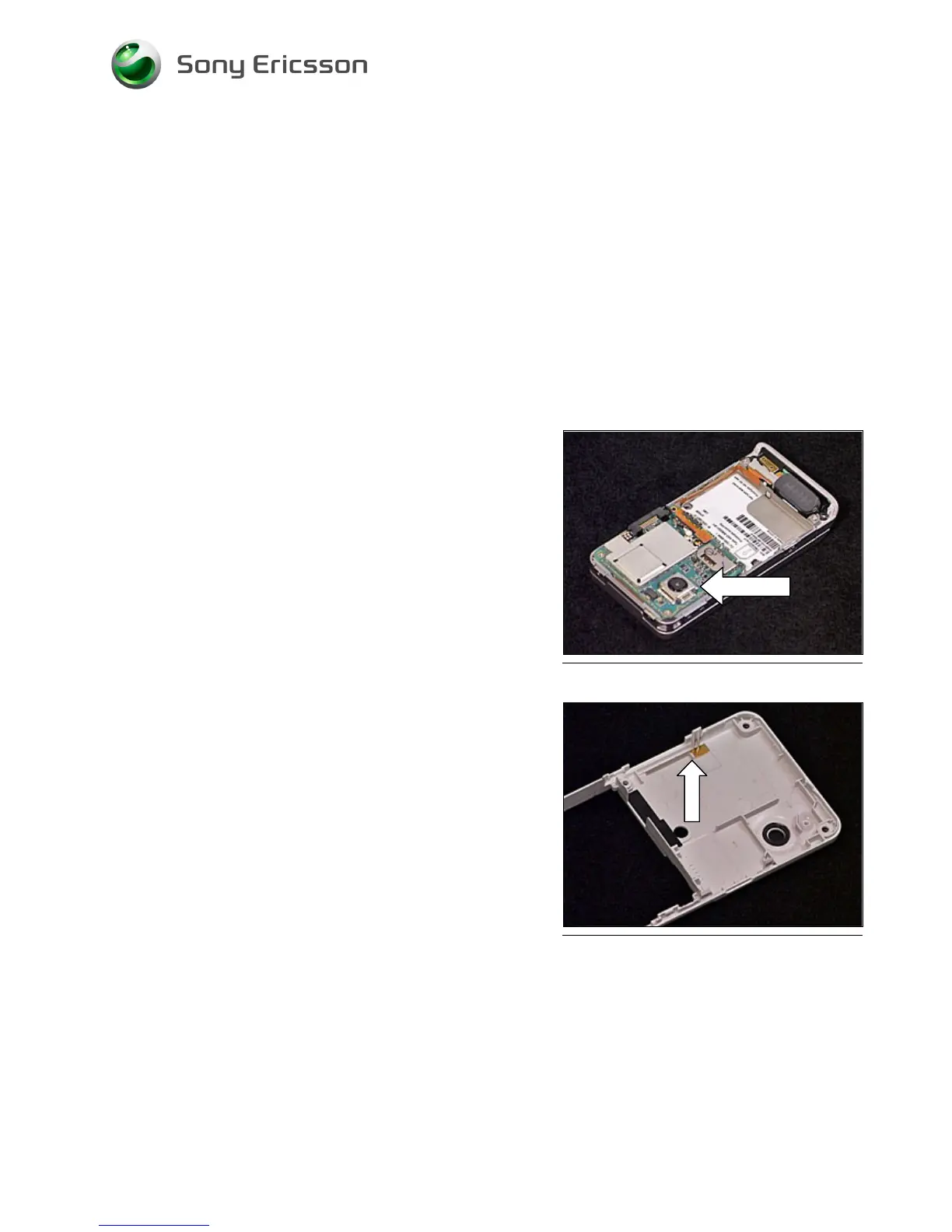
3.14 Camera 2.0 MPixel CMOS
Follow the 2.1.1 – 2.1.2 Disassembly instructions!
1. Remove the Shield Can Lid from the Camera using
a Dental hook and a pair of tweezers.
2. Remove the camera using the Camera Removal
Tool.
3. Prepare the new Camera and Shield Can Lid.
4. Insert the new Camera into its socket.
5. Mount a new Shield Can Lid on top of the Camera.
Follow the 4.1.5 – 4.1.6 Reassembly instructions!
3.15 BT Antenna Assy
Follow the 2.1.1 – 2.1.2 Disassembly instructions!
Remove the BT Antenna using a Dental hook and a pair of
tweezers. Prepare the new BT Antenna Assy.
Follow the 4.1.5 – 4.1.6 Reassembly instructions!













 To Next Page