Working Instruction, Mechanical
3/000 21-1/FEA 209 544/129 A
Company Internal
©
Sony Ericsson Mobile Communications AB
13(34)
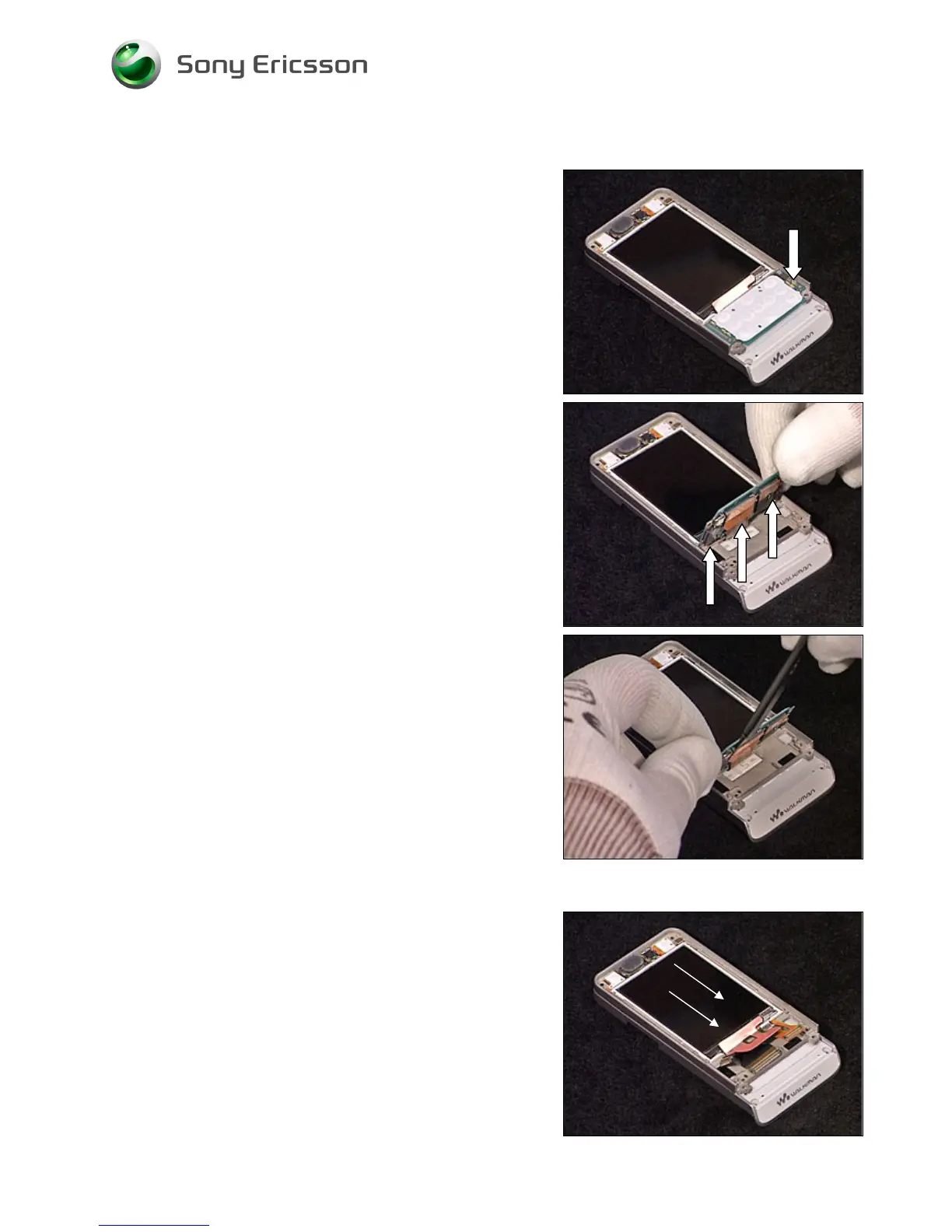
2.1.5 Navi Key PBA
Release the screw.
B
E CAREFUL NOT TO DAMAGE THE
B
T
B
CONNECTORS
Carefully disconnect the three Board to Board connectors
from the Navi Key PBA using the orange stick.
When all BtB connectors have been released, remove the
Navi Key PBA.
2.1.6 Display
B
E CAREFUL NOT TO DAMAGE THE
D
ISPLAY
Carefully slide the Display towards the bottom of the phone.
Remove the Display.













 To Next Page