Working Instruction, Mechanical
3/000 21-1/FEA 209 544/129 A
Company Internal
©
Sony Ericsson Mobile Communications AB
19(34)
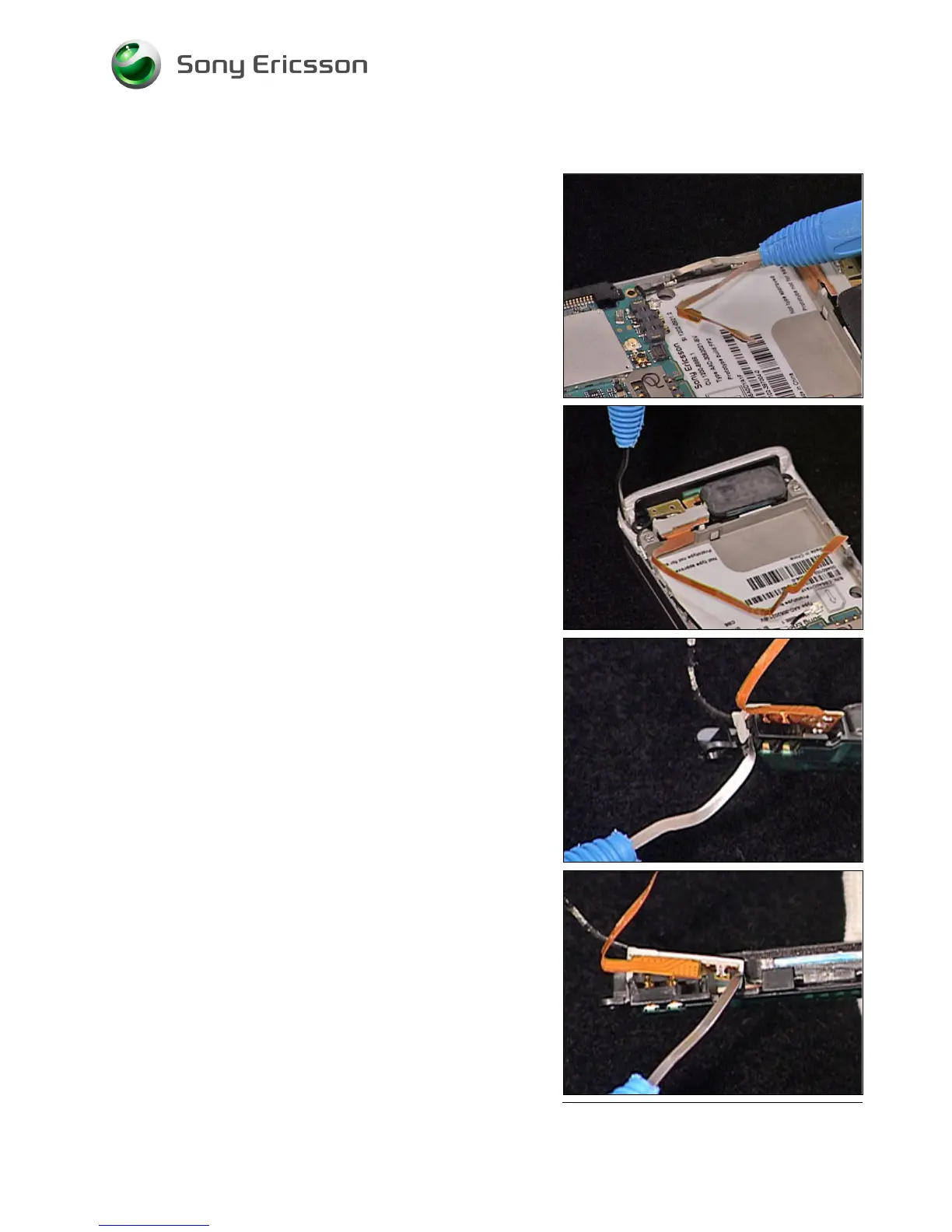
3.23 Main Antenna
REMOVAL
Follow the 2.1.1 – 2.1.3 Disassembly instructions!
B
E CAREFULL NOT TO DAMAGE THE COAX CABLE AND
SPEAKER FLEX
1. Carefully release the speaker flex using a Dental
hook.
2. Carefully release the coax cable from the frame
using a Dental hook.
3. Carefully remove the Main Antenna from the cavity
in the Antenna Cover using a Dental hook.
4. Carefully release the Holder Antenna from the Main
Antenna.
5. Repeat the previous step on the other side of the
Holder Antenna.













 To Next Page