Working Instruction, Mechanical
3/000 21-1/FEA 209 544/129 A
Company Internal
©
Sony Ericsson Mobile Communications AB
30(34)
4.1.3 Front Cover Assembly
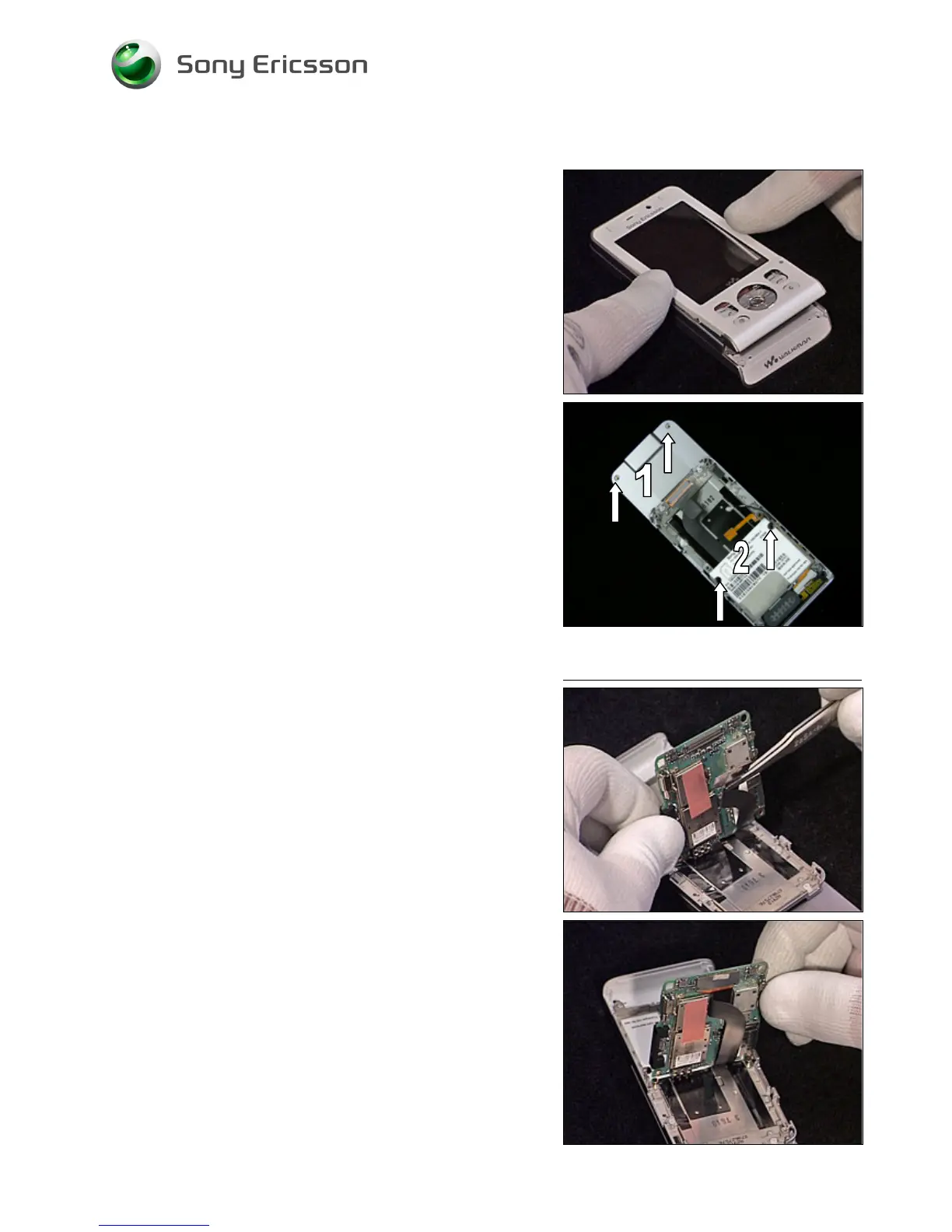
Position the Front Cover Assembly on top of the Display as
shown in picture. Carefully press down and make sure it
snaps into position.
Insert and tighten the 4 screws. Insert two new Screw Caps
(Upper).
1 – JCIS 10Ncm
2 – Torx T6 10Ncm
4.1.4 Main PCB
Connect the Slider Flex to the Main PCB using a pair of
tweezers.
Fold down the Main PCB into position.













 To Next Page