Working Instruction, Mechanical
3/000 21-1/FEA 209 544/129 A
Company Internal
©
Sony Ericsson Mobile Communications AB
10(34)
Rear Back Cover continued
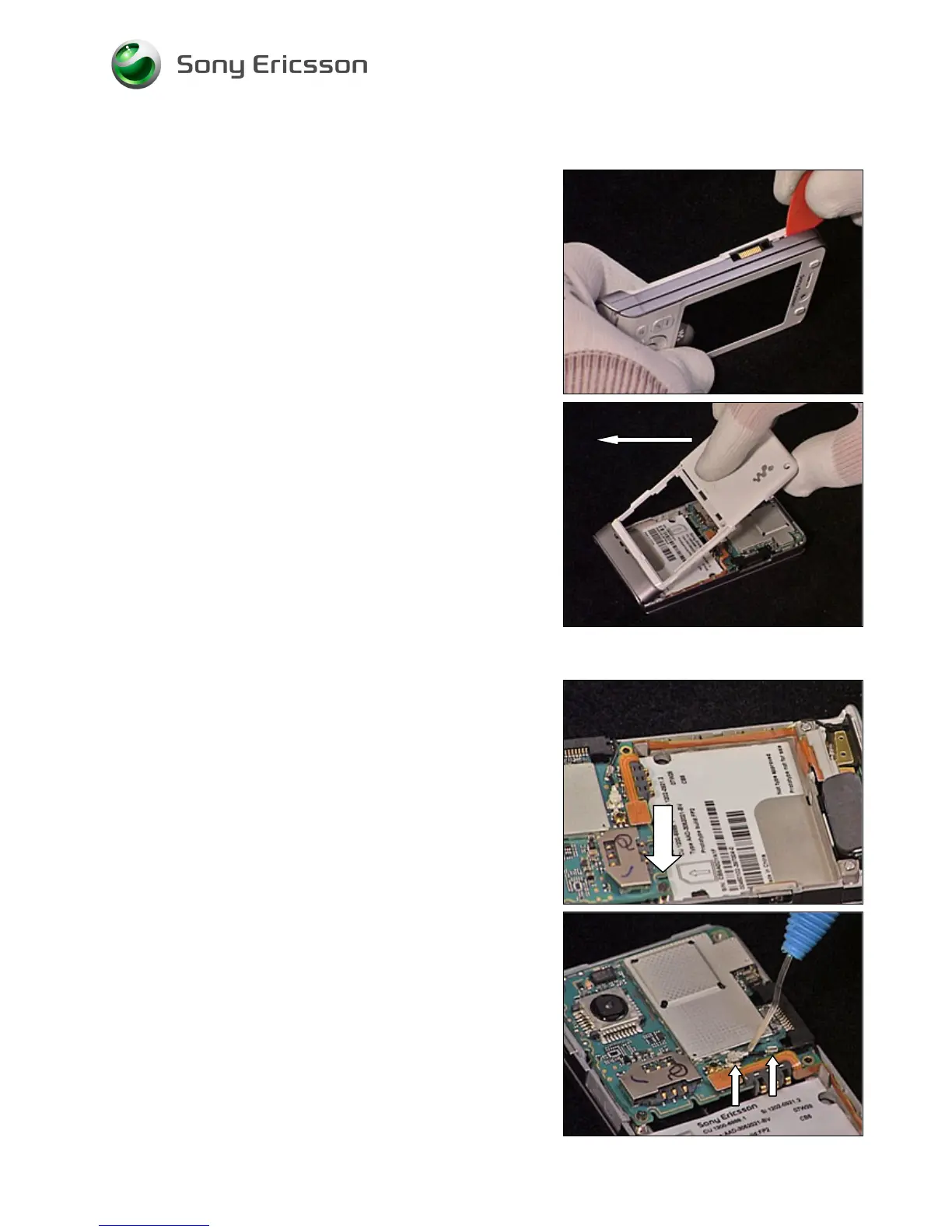
Repeat the previous step on the other side of the phone.
Carefully remove the Rear Back Cover by lifting it 90
degrees from the unit as shown in picture.
2.1.3 Main PCB
Remove the screw.
Carefully release the Antenna Coax using a Dental hook.













 To Next Page