Working Instruction, Mechanical
3/000 21-1/FEA 209 544/129 A
Company Internal
©
Sony Ericsson Mobile Communications AB
9(34)
Rear back Cover continued
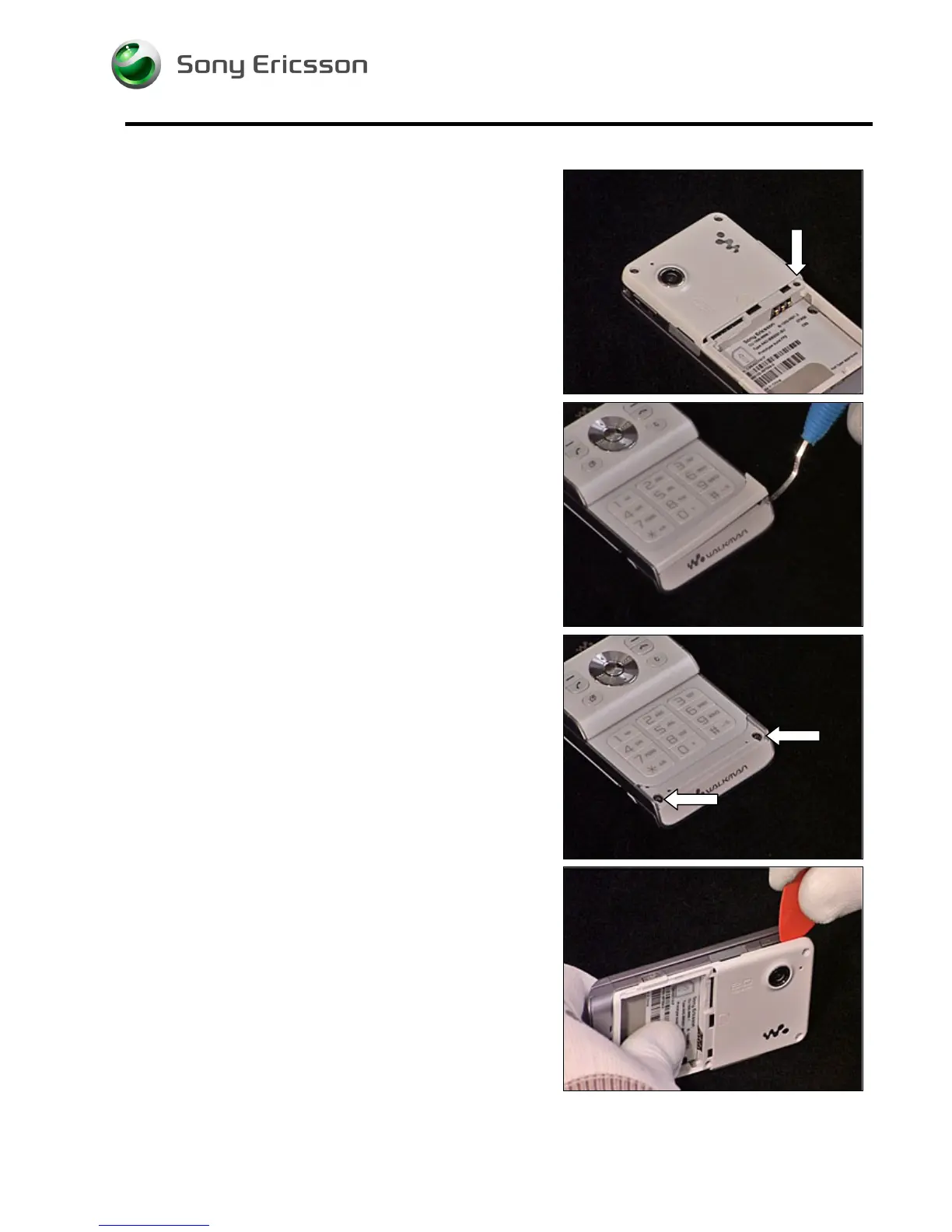
Remove the screw.
Remove the Panel Antenna using a Dental hook.
Remove the two screws (Torx T6).
Release the Rear Back Cover using a guitar pick, carefully
sliding it along the side of the Cover Lower Rear.













 To Next Page