Step
2:
Connecting
to
Your
AV
Amplifier
(Receiver)
About
audio/HDMI
OUT
jacks
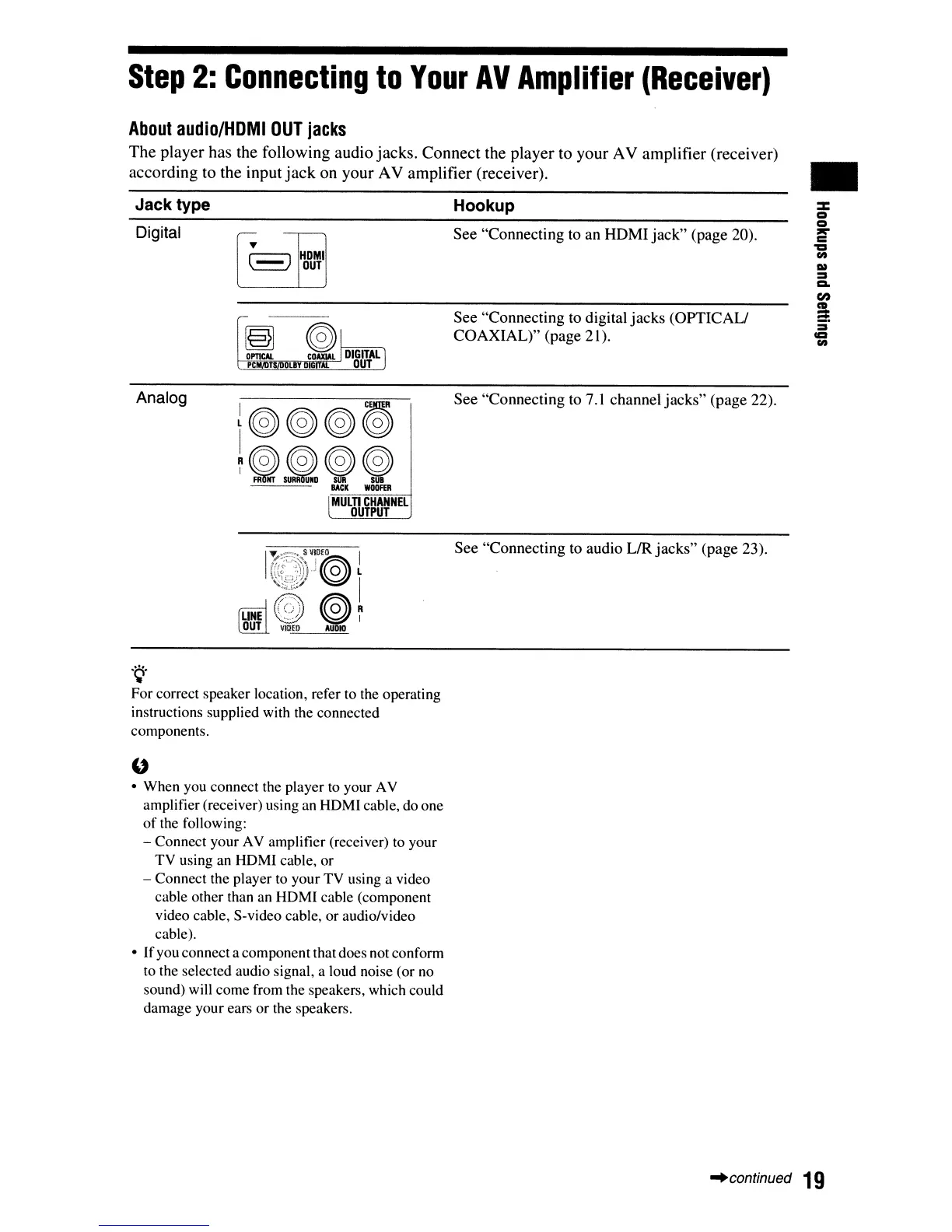
The
player
has
the
following
audio
jacks.
Connect
the
player
to
your
AV
amplifier
(receiver)
according
to
the
input
jack
on
your
AV
amplifier
(receiver).
•
Jack type
Digital
HDMI
DUT
Hookup
See "Connecting to an
HDMI
jack"
(page 20).
See
"Connecting to digital
jacks
(OPTIC
AU
COAXIAL)"
(page 21).
Analog
~@@@~
I
~~~~~
lACK
WOOFfR
Mum
CHANNEL
OUTPUT
See
"Connecting
to 7.1 channel
jacks"
(page 22).
See "Connecting to audio LIR
jacks"
(page 23).
'Q'
For correct speaker location, refer to the operating
instructions supplied with the connected
components.
"
• When you connect the player
to
your AV
amplifier (receiver) using
an
HDMI cable, do one
of
the following:
- Connect your AV amplifier (receiver)
to
your
TV
using an HDMI cable, or
- Connect the player to your
TV
using a video
cable other than an HDMI cable (component
video cable, S-video cable, or audio/video
cable).
•
If
you connecta componentthat does not conform
to the selected audio signal, a loud noise (or
no
sound) will come from the speakers, which could
damage your ears or the speakers.
-'continued
19













 To Next Page