To
cancel
Scene
Search
mode
Press SCENE SEARCH, ENTER,
~
PLAY, or
II
PAUSE.
Playback starts from the point you pressed
the button.
"
• The Scene Search function
is
available for titles
longer than 100 seconds and shorter than 100
hours.
• The Scene Search function may not be available
depending on the disc.
You can search for a chapter if the title
contains chapter marks.
Displaying
the
playing
time
..
and\
play
infIrmation
'
You can check the title information,
including the video transmission rate, etc.
Press
DISPLAY.
The displayed information differs depending
on
the disc type and player status.
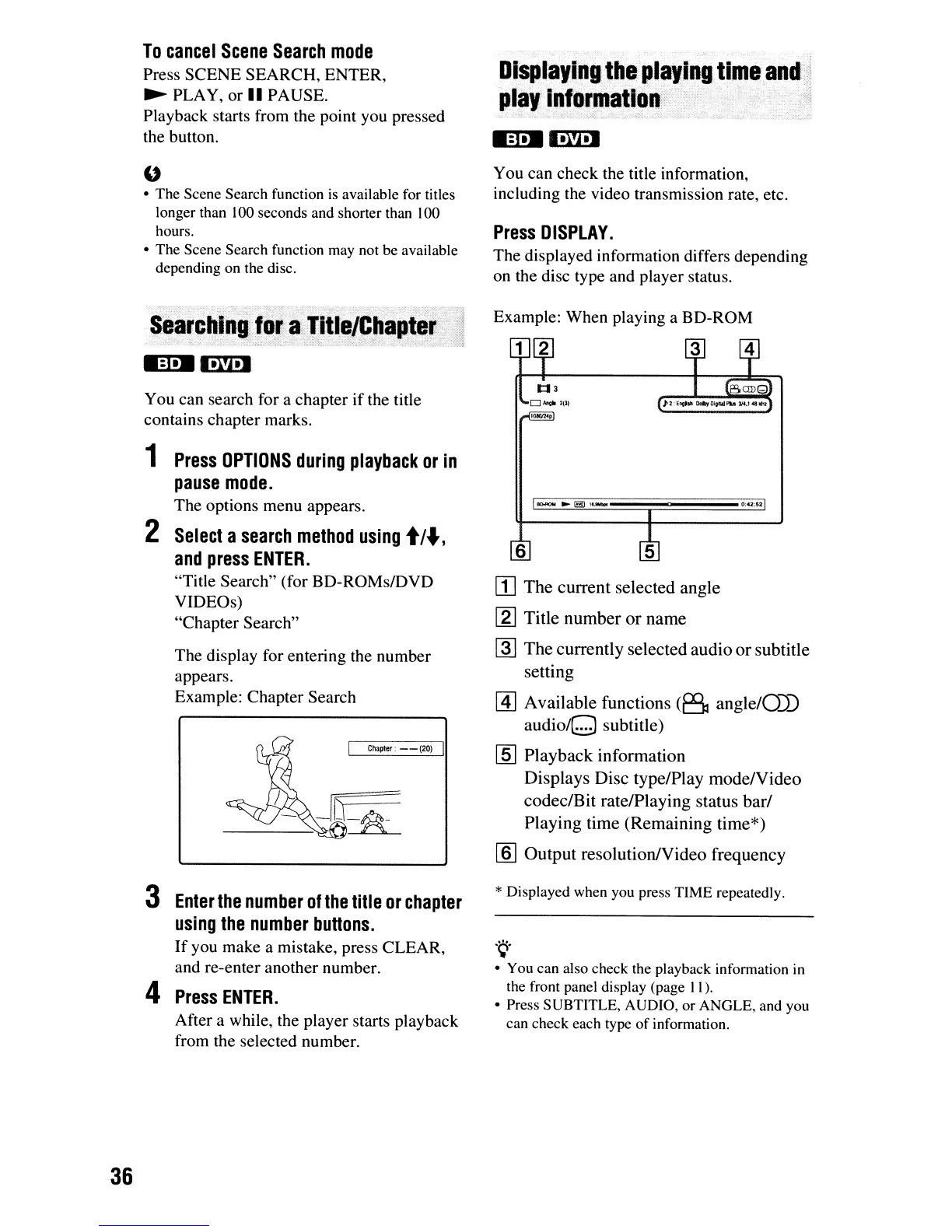
Example: When playing a BD-ROM
[I]
The
current selected angle
[g] Title number
or
name
~
The
currently selected audio
or
subtitle
setting
@]
Available functions
(B
angle/OJ)
audioQ
subtitle)
[§] Playback information
Displays Disc type/Play mode/Video
codeclBit rate/Playing status barf
Playing time (Remaining time*)
[ID
Output resolution/Video frequency
1
Press
OPTIONS
during
playback
or
in
pause
mode.
The options menu appears.
2
Select
a
search
method
using
t/",
and
press
ENTER.
"Title Search" (for BD-ROMsIDVD
VIDEOs)
"Chapter Search"
The display for entering the number
appears.
Example: Chapter Search
Chapter:
- -
(20)
6
0:42:52
36
3
Enter
the
number
of
the
title
or
chapter
using
the
number
buttons.
If
you make a mistake, press CLEAR,
and re-enter another number.
4
Press
ENTER.
After a while, the player starts playback
from the selected number.
* Displayed when you press TIME repeatedly.
.~.
• You can also check the playback information
in
the front panel display (page
II).
• Press SUBTITLE, AUDIO, or ANGLE, and you
can check each type
of
information.













 To Next Page