0.02:3<1
•
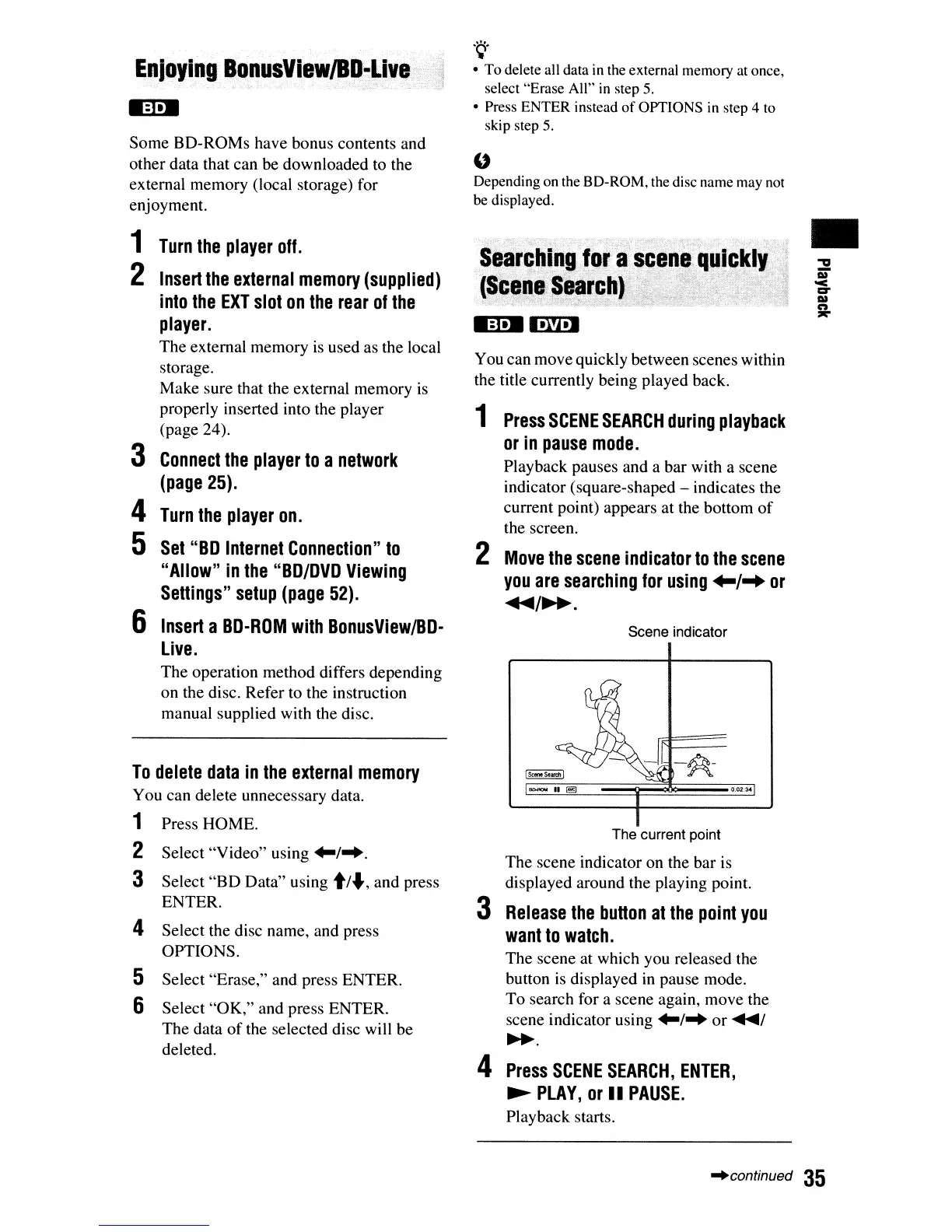
The current point
The scene indicator on the bar is
displayed around the playing point.
3
Release
the
button
at
the
point
you
want
to
watch.
The scene at which you released the
button
is
displayed
in
pause mode.
To search for a scene again, move the
scene indicator using
~/"
or
.....
1
~.
4
Press
SCENE
SEARCH,
ENTER,
~
PLAY,
or
II
PAUSE.
Playback starts.
Scene indicator
You can move quickly between scenes within
the title currently being played back.
1
Press
SCENE
SEARCH
during
playback
or
in
pause
mode.
Playback pauses and a bar with a scene
indicator (square-shaped - indicates the
current point) appears at the bottom
of
the screen.
2
Move
the
scene
indicator
to
the
scene
you
are
searching
for
using
+-1-+
or
...../~.
M:t.M'·W·J
: . .
Seart~lngJf)'
a
sc.,n.lqu,~.
.
(Scen.I·~'~r~~J·<"
",
,
'..
~,:_,:,>:·:·,'··'~::>":'~';.,''i;:'i
-.:.;
-'."
.~.
• To delete all data
in
the external memory at once,
select "Erase All"
in
step 5.
• Press ENTER instead
of
OPTIONS
in
step 4 to
skip step
5.
"
Depending on the SO-ROM, the disc name may not
be displayed.
To
delete
data
in
the
external
memory
You can delete unnecessary data.
1 Press HOME.
2 Select "Video" using
~/".
3 Select
"BD
Data" using
t/",
and press
ENTER.
4 Select the disc name, and press
OPTIONS.
5 Select "Erase," and press ENTER.
6 Select "OK," and press ENTER.
The data
of
the selected disc will be
deleted.
Enjoying
BQnusViewJBD~Live
Some BD-ROMs have bonus contents and
other data that can be downloaded to the
external memory (local storage) for
enjoyment.
1
Turn
the
player
off.
2
Insert
the
external
memory
(supplied)
into
the
EXT
slot
on
the
rear
of
the
player.
The external memory
is
used as the local
storage.
Make sure that the external memory
is
properly inserted into the player
(page 24).
3
Connect
the
player
to
a
network
(page
25).
4
Turn
the
player
on.
5
Set
"BD
Internet
Connection"
to
"Allow"
in
the
"BD/DVD
Viewing
Settings"
setup
(page
52).
6
Insert
a
BD-ROM
with
BonusView/BD·
Live.
The operation method differs depending
on the disc. Refer to the instruction
manual supplied with the disc.
"continued
35













 To Next Page