Step
4:
Connecting
to
the
Network
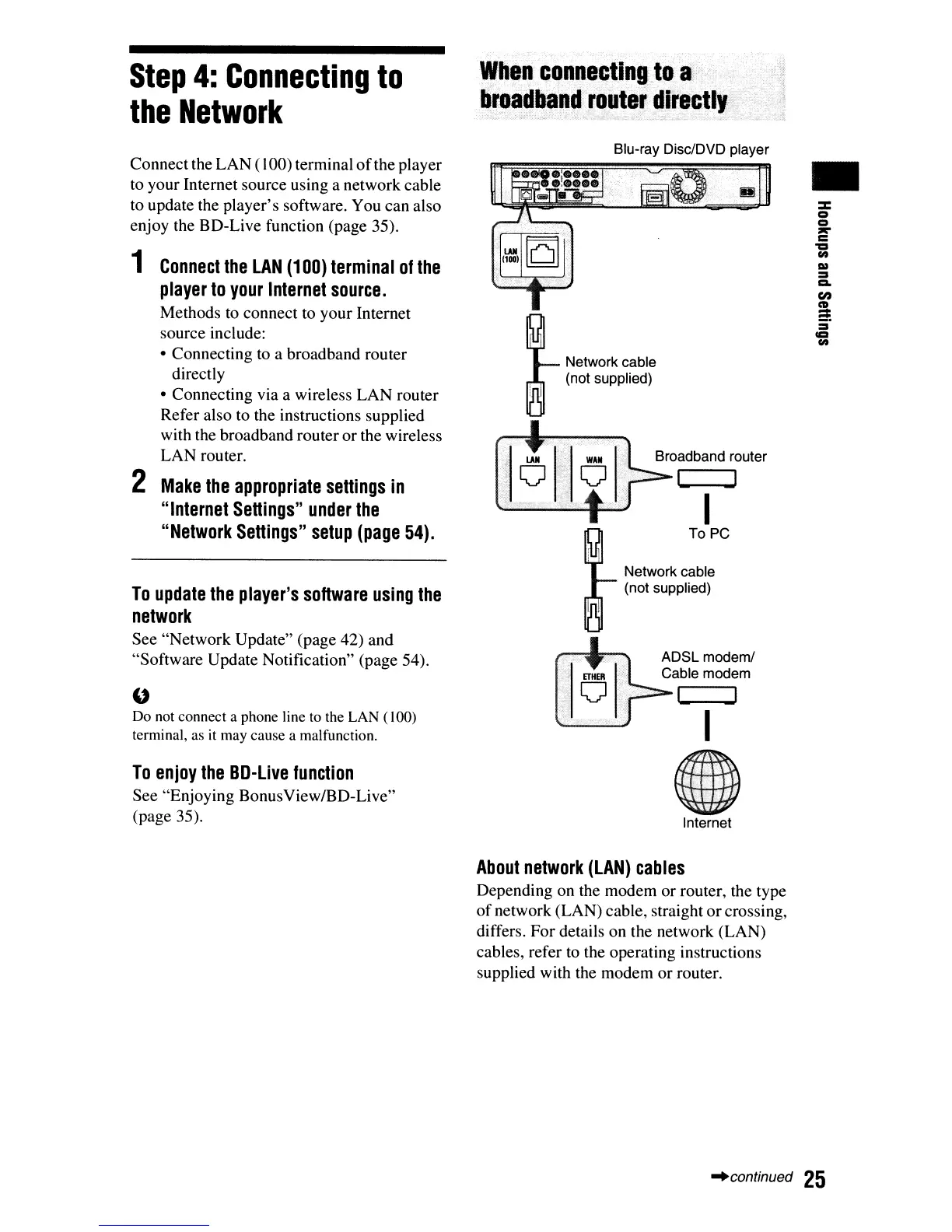
Connect the LAN(100) terminal
of
the player
to your Internet source using a network cable
to update the player's software. You can also
enjoy the BD-Live function (page 35).
1
Connect
the
LAN
(1
DO)
terminal
of
the
player
to
your
Internet
source.
Methods to connect to your Internet
source include:
• Connecting to a broadband router
directly
• Connecting via a wireless LAN router
Refer also to the instructions supplied
with the broadband router or the wireless
LAN router.
2
Make
the
appropriate
settings
in
"Internet
Settings"
under
the
"Network
Settings"
setup
(page
54).
To
update
the
player's
software
using
the
network
See "Network Update" (page 42) and
"Software Update Notification" (page 54).
U
Do not connect a phone line to the LAN (100)
terminal, as
it
may cause a malfunction.
To
enjoy
the
BD-Live
function
See "Enjoying BonusView/BD-Live"
(page 35).
When
connecting
toa
broadband
.~~uter
directly
Blu-ray Disc/DVD player
Network cable
(not supplied)
I
To PC
Network cable
(not supplied)
ADSL modem/
Cable modem
I
I
(I)
Internet
About
network
(LAN)
cables
Depending on the modem or router, the type
of
network (LAN) cable, straight orcrossing,
differs. For details on the network (LAN)
cables, refer to the operating instructions
supplied with the modem or router.
•
"continued
25













 To Next Page