24
Step
3:
Inserting
the
External
Memory
To
enjoy additional content (such as
BonusViewIBD-Live) on certain Blu-ray
Disc titles, you will need to use the supplied
external memory.
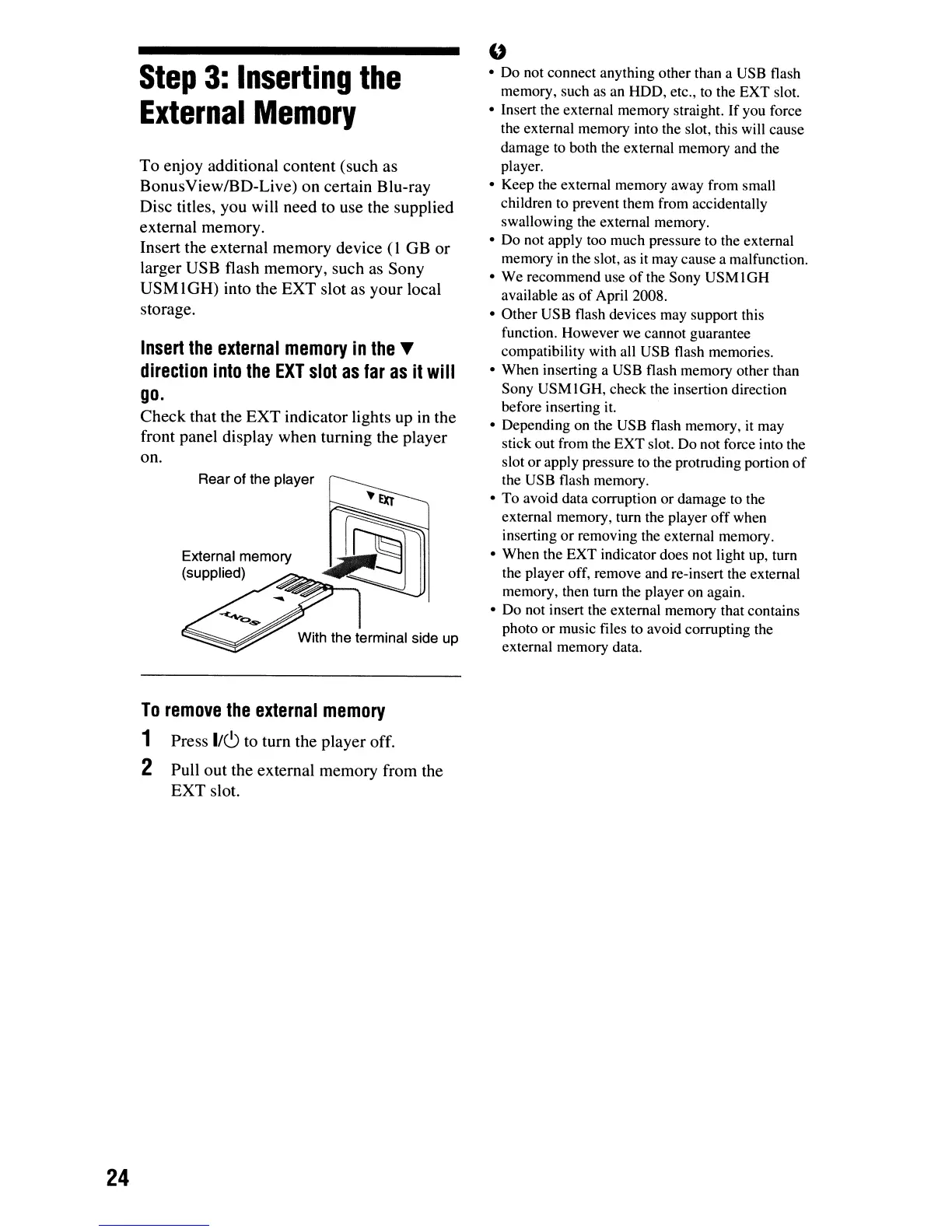
Insert the external memory device
(lOB
or
larger USB flash memory, such as Sony
USM IOH) into the EXT slot as your local
storage.
Insert
the
external
memory
in
the
~
direction
into
the
EXT
slot
as
far
as
it
will
go.
Check that the EXT indicator lights up
in
the
front panel display when turning the player
on.
Rear of the player
External memory
(supplied)
With the terminal side up
To
remove
the
external
memory
1 Press
I/C)
to turn the player off.
2 Pull out the external memory from the
EXT slot.
"
• Do not connect anything other than a USB flash
memory, such as an HOD, etc., to the EXT slot.
• Insert the external memory straight.
If
you force
the external memory into the slot, this will cause
damage to both the external memory and the
player.
• Keep the external memory away from small
children to prevent them from accidentally
swallowing the external memory.
• Do not apply too much pressure to the external
memory
in
the slot,
as
it may cause a malfunction.
• We recommend use
of
the Sony
USMIGH
available as
of
April 2008.
• Other USB flash devices may support this
function. However we cannot guarantee
compatibility with all USB flash memories.
• When inserting a USB flash memory other than
Sony USM IGH, check the insertion direction
before inserting it.
• Depending on the USB flash memory,
it
may
stick out from the EXT slot. Do not force into the
slot or apply pressure to the protruding portion
of
the USB flash memory.
• To avoid data corruption or damage to the
external memory, tum the player off when
inserting
or
removing the external memory.
• When the EXT indicator does not light up, turn
the player off, remove and re-insert the external
memory, then turn the player on again.
• Do not insert the external memory that contains
photo or music files to avoid corrupting the
external memory data.













 To Next Page