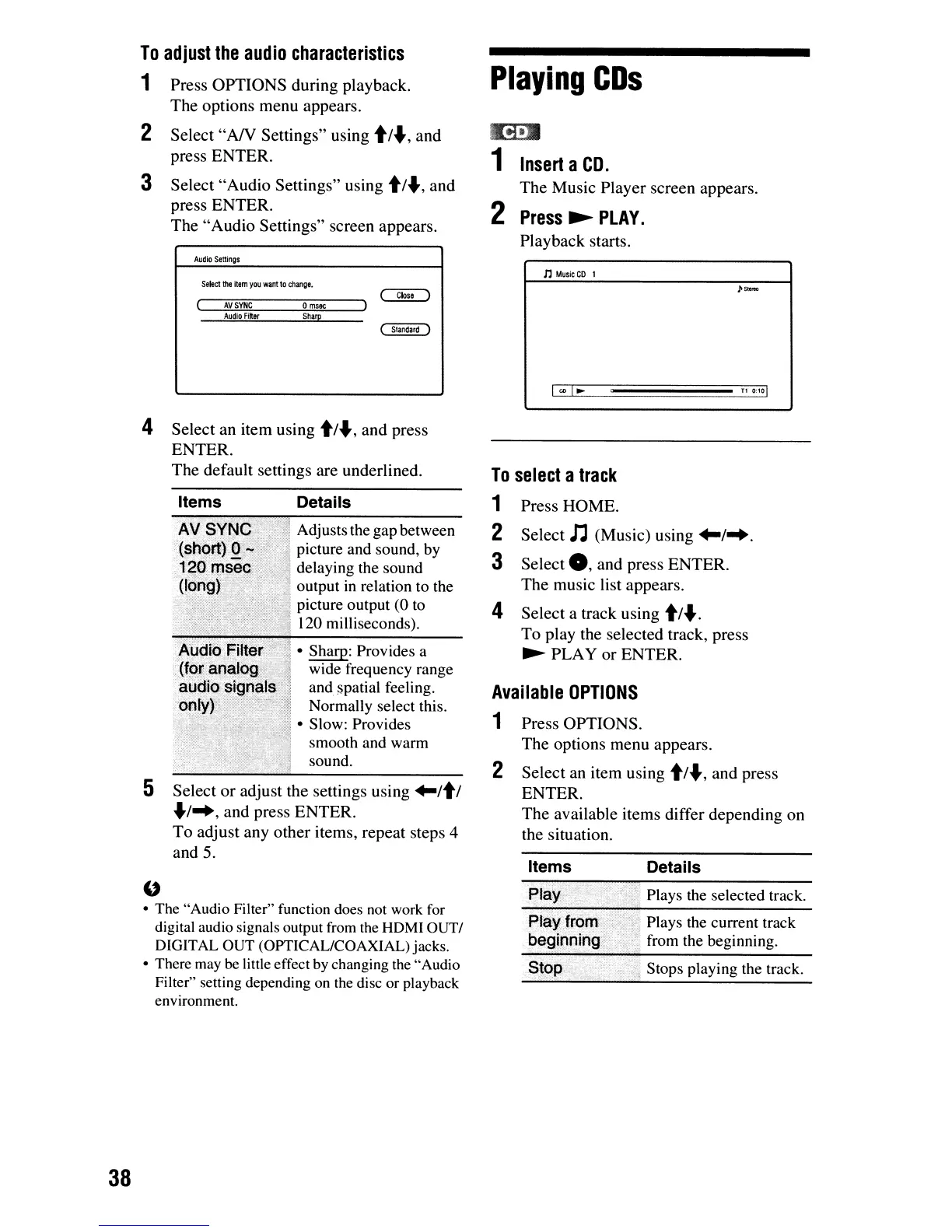
Playing
CDs
tI!i-.
1
Insert
a
CD.
The
Music
Player
screen
appears.
2
Press
~
PLAY.
Playback
starts.
Press
OPTIONS
during
playback.
The
options
menu
appears.
Select
"AN
Settings"
using t/.,
and
press
ENTER.
Select
"Audio
Settings"
using
t/.,
and
press
ENTER.
The
"Audio
Settings"
screen appears.
2
3
To
adjust
the
audio
characteristics
1
Audio
Settings
n
Music
CD
I
Select
the
item
you
want
to
change.
AVSYNC
0
msoc
Audio
Filter
Sharp
"
• The "Audio Filter" function does
not
work
for
digital audio signals output
from
the
HDMI OUT/
DIGITAL OUT (OPTICAL/COAXIAL) jacks.
• There
may
be
little effect
by
changing
the
"Audio
Filter" setting depending
on
the
disc or playback
environment.
Plays the selected track.
Details
/j
Stops playing the track.
,
:.
':;
Plays the current track
:";
from the beginning.
Play.
Items
PlayJrom'
begioping
Press
OPTIONS.
The
options
menu
appears.
Select
an item using
t/.,
and
press
ENTER.
The
available items
differ
depending
on
the situation.
2
Available
OPTIONS
1
To
select
a
track
1 Press
HOME.
2
Select
n (Music) using
+-1
...
3
Select
0,
and
press
ENTER.
The
music list appears.
4
Select
a track using
t/"".
To
play the selected track, press
~
PLAY
or
ENTER.
• Sharp: Provides a
wide frequency range
and
spatial feeling.
Normally select this.
• Slow: Provides
smooth and warm
sound.
Adjusts the gap between
picture and sound, by
delaying the sound
output
in
relation to the
picture output (0 to
120 milliseconds).
Details
Items
Select
or
adjust the settings using
+-/tl
.1
..
,
and
press
ENTER.
To
adjust
any
other
items,
repeat
steps 4
and
5.
Select
an item using
t/"",
and
press
ENTER.
The
default settings
are
underlined.
5
4
38













 To Next Page