2-2
8
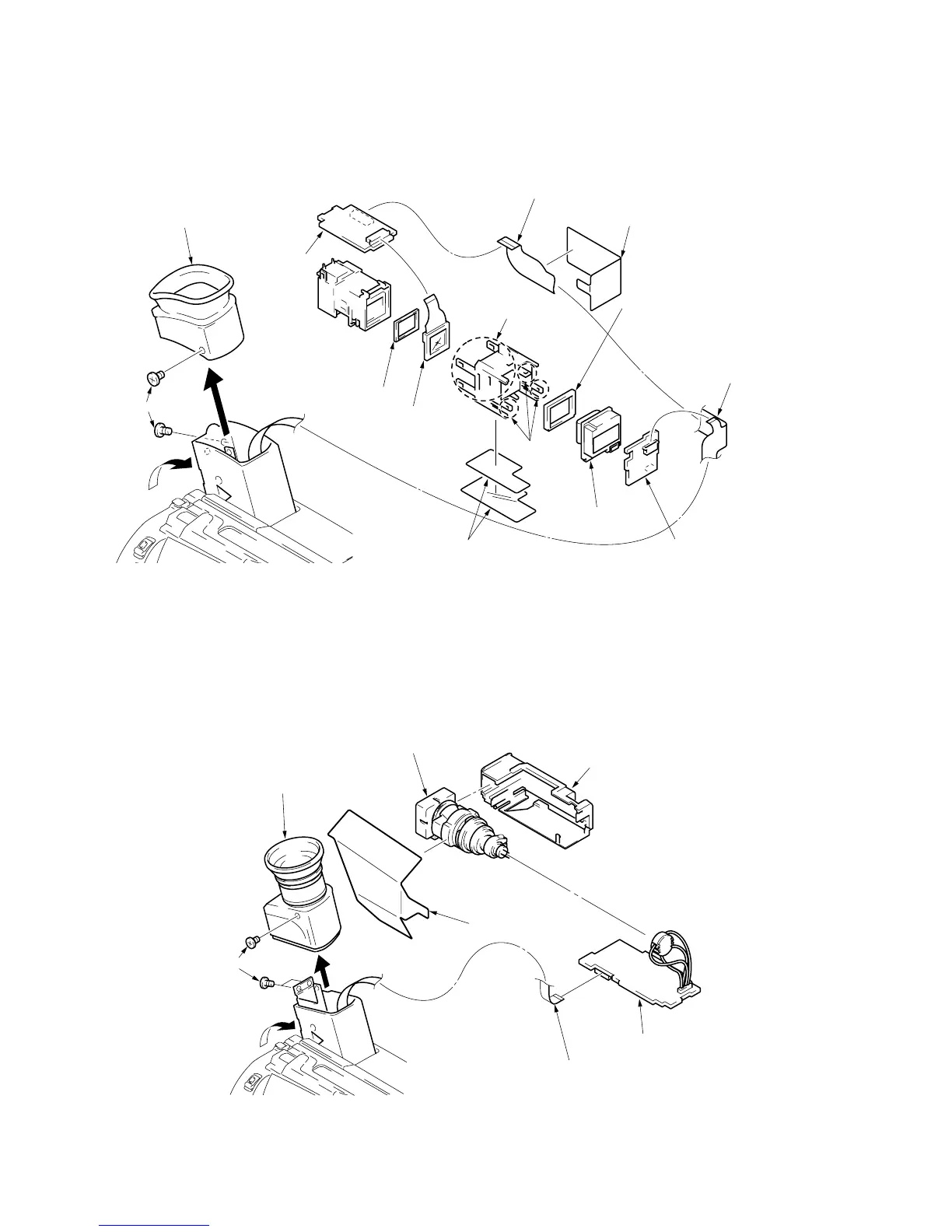
VF-120 board
9
LB-54 board
!¡
LCX024AK-5
CN5402, 16P
!™
LCD cushion (1)
!£
VF-119 board
7
VF light interception sheet
4
Flexible retainer sheet
5
FP-57 flexible board
CN5401,20P
6
FP-57 flexible board
CN5301,8P
2
Two screws (M2 x 3)
3
Remove the EVF rear cabinet assembly
to the direction of arrow
B
.
A
B
()
Four claws
Three claws
!º
Back light cushion
Turn the cushion (Sponge rubber)
face to the LB-54 board side for
installation.
VF-119
VF-120
LB-54
1
Tilt-up the EVF block to the direction of arrow
A
.
8
VF-99 boar
7
CRT assembly
6
CRT holder assembly
4
VF electrostatic sheet
5
Flexible flat cable(FCC-235)
CN5803,4P
2
Three screws (M2 x 3)
3
Remove the EVF rear cabinet assembly
to the direction of arrow
B
.
A
B
VF-99
1
Tilt-up the EVF block to the direction of arrow
A
.
2-2. REMOVAL OF LB-54, VF-119 AND VF-120 BOARDS
(Color view finder model CCD-TR516E)
2-3. REMOVAL OF VF-99 AND CRT ASSEMBLY
(B/W view finder model CCD-TR315E/TR415E/TR425E/TR515E/TR713E and TRV series)








 To Next Page