31
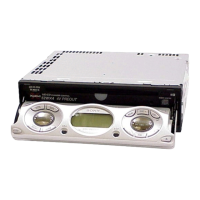
3-6. CAM (R)
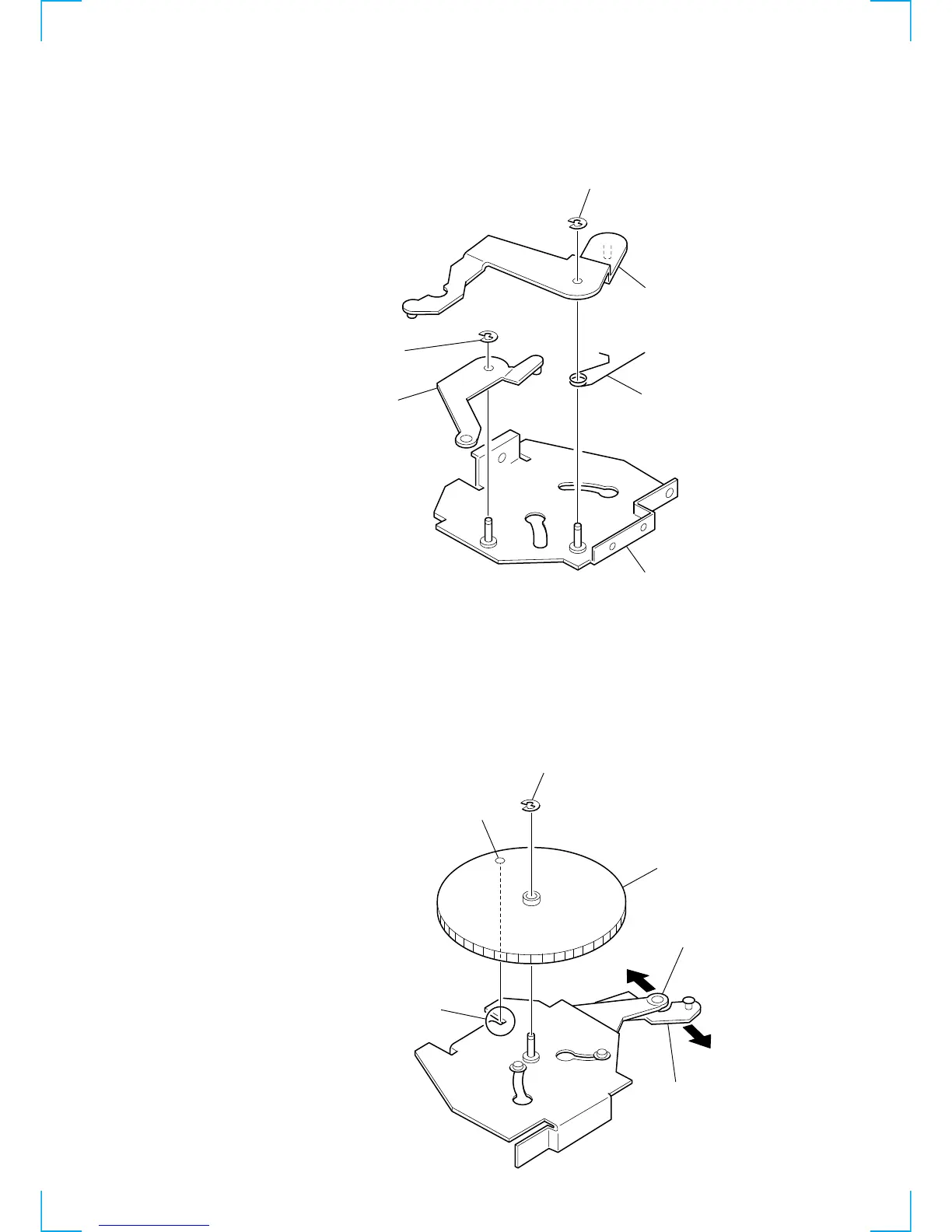
3-5. ARM (A-R) ASSY, ARM (B-R) ASSY
1 Move the arm (B-R) assy in the direction of the
arrow A and the arm (A-R) assy in the direction of
the arrow B fully (full open state).
2 Align the hole on the cam (R) with part C and install
the cam.
4 Turn the cam (R) clockwise and counterclockwise to
verify that both the arms are operated.
bracket (R) assy
4 arm (A-R) ass



 To Next Page