10
Getting Started
Step 1: Checking supplied items
Make sure that you have following items
supplied with your camcorder.
The number in the parentheses indicates the
number of that item supplied.
• The cassette tape and “Memory Stick Duo”
media are not included. See
p. 4, p. 89 and p. 90
for types of cassette tapes and “Memory Stick
Duo” media that you can use on your
camcorder.
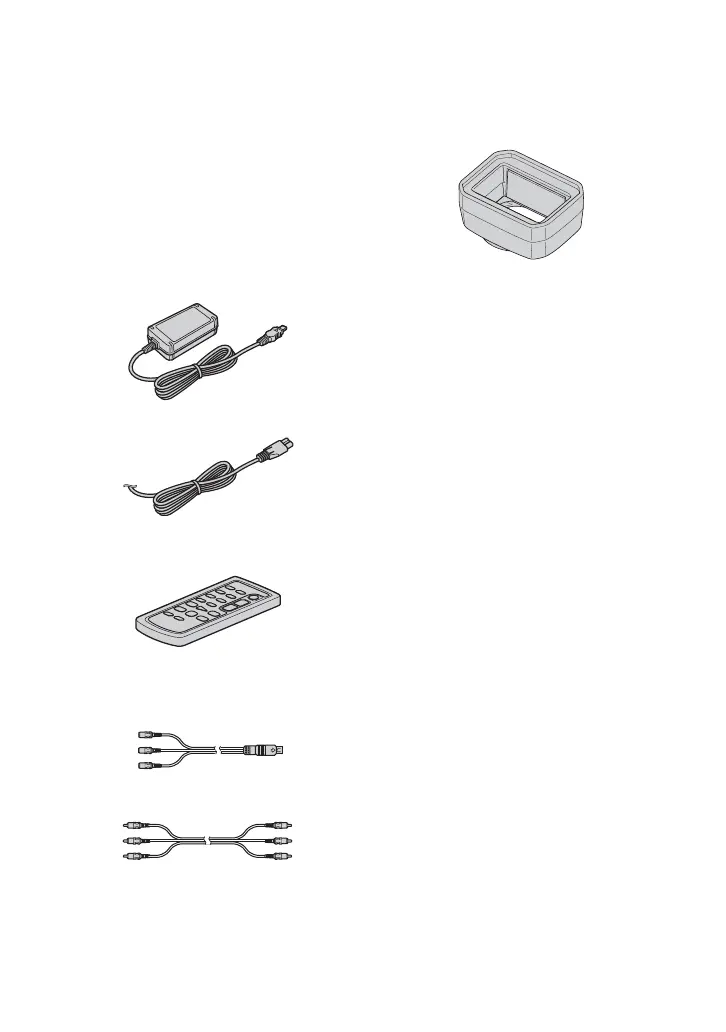
AC Adaptor (1) (p. 12)
Power cord (mains lead) (1) (p. 12)
Wireless Remote Commander (1)
(p. 47, 105)
A button-type lithium battery is already installed.
A/V connecting cable (1) (p. 49, 71)
Video audio cable (1) (p. 49, 71)
Lens hood with lens cover (1) (p. 11)
This lens hood is pre-mounted.
Operating Guide (This manual) (1)




 To Next Page