67
Using the Menu
b Notes
• Set [TV TYPE] correctly to suite a TV that you
want to connect for playback (
p. 67).
You need to convert the signal depending
on a type of your TV when playing back the
picture. The recorded pictures are played
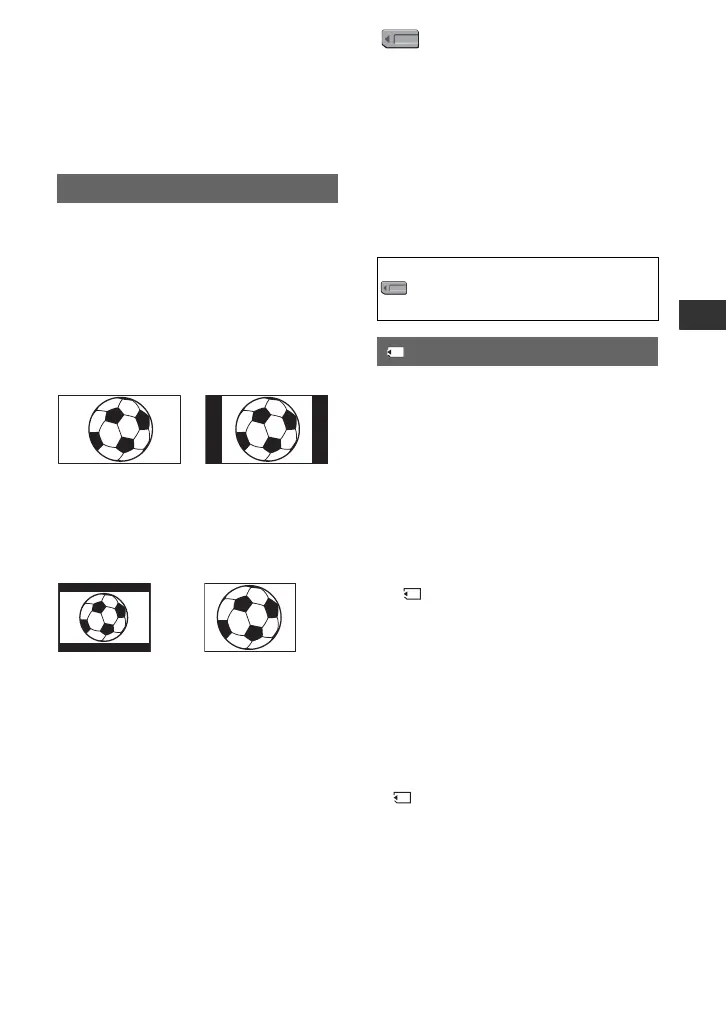
back as following illustrations.
B 16:9
Select to view your pictures on a 16:9
(wide) TV.
4:3
Select to view your pictures on a 4:3
standard TV.
b Notes
• This is not effective for the i.LINK output.
TV TYPE
Pictures at an aspect
ratio of 16:9
Pictures at an
aspect ratio of 4:3
Pictures at an aspect
ratio of 16:9
Pictures at an
aspect ratio of 4:3
(MEMORY SET)
menu
Settings for the “Memory Stick Duo”
media (ALL ERASE/FORMAT, etc.)
The default settings are marked with B.
The indicators in parentheses appear when
the items are selected.
See page 51 for details on selecting
menu items.
You can delete all the still images without
image protection on a “Memory Stick Duo”
media or in the selected folder.
1 Select [ALL FILES] or [CURRENT
FLDR].
[ALL FILES]: Deletes all the images on
the “Memory Stick Duo” media.
[CURRENT FLDR]: Deletes all the
images in the currently selected folder.
2 Select [YES] t [YES] with the SEL/
PUSH EXEC dial.
[ Erasing all data...] appears.
[Completed.] appears when all unprotected
images are deleted.
b Notes
• Release the write protect tab on the “Memory
Stick Duo” media beforehand for the “Memory
Stick Duo” media with the write-protect tab
(
p. 90).
• The folder will not be deleted even when you
delete all the images in the folder.
• Do not do any of the following while
[ Erasing all data...] is displayed:
– Operate the POWER switch/buttons.
– Eject the “Memory Stick Duo” media.
Press the MENU button t select the
(MEMORY SET) with the SEL/PUSH
EXEC dial.
ALL ERASE
Continued ,















 To Next Page