96
camcorder operation will not be affected as
long as you are not recording the date.
x Procedures
Connect your camcorder to a wall outlet
(wall socket) using the supplied AC
Adaptor, and leave it with the POWER
switch set to OFF (CHG) for more than 24
hours.
Removing dust from inside the
viewfinder
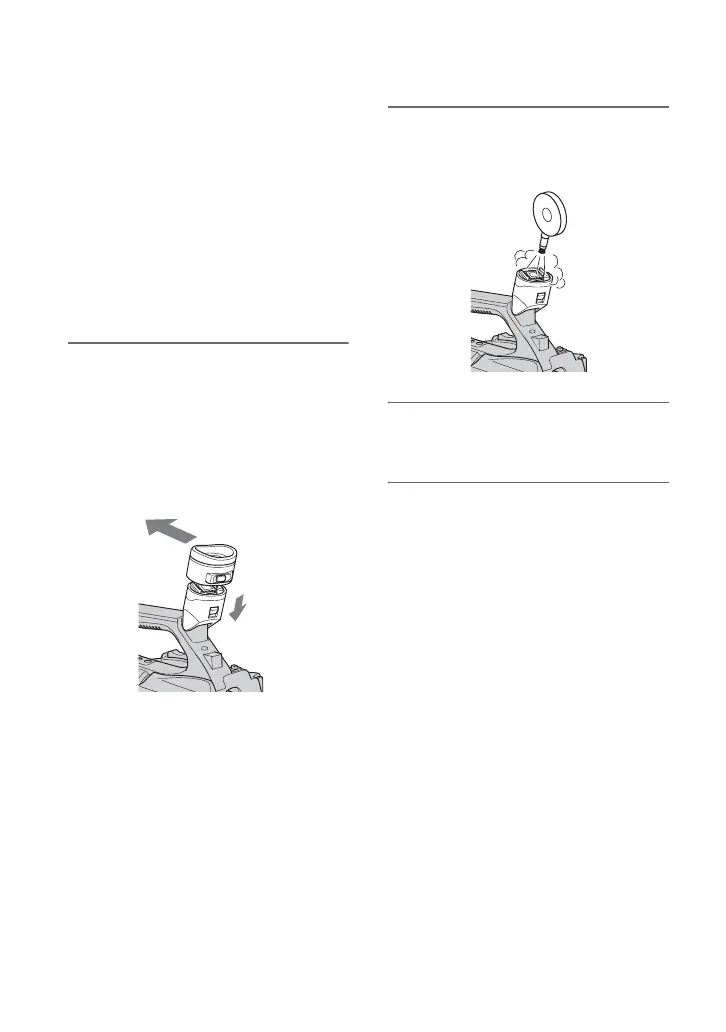
1 Remove the eye piece of the
viewfinder.
Slide down the viewfinder release lever
and hold it at the position (1), then lift
the eye piece of the viewfinder as
indicated with the arrow in the
illustration (2).
2 Remove dust inside the eye piece
and viewfinder with a blower.
3 Attach the viewfinder following
the reverse procedure of step 1.
2
1
Maintenance and precautions (Continued)















 To Next Page