DHC-AZ55D/AZ33D.GB.3-215-548-11(1)
3
GB
Note on power cord plug shapes
(Saudi Arabian model only)
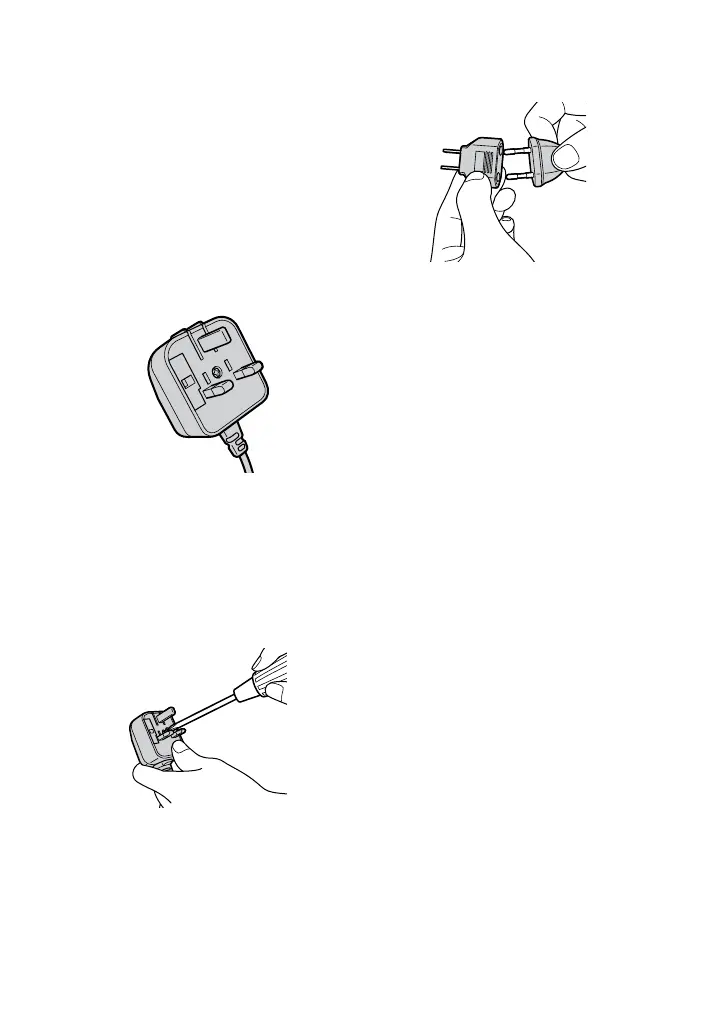
For AC 220 V wall sockets
1
Make the appropriate voltage setting
on the system (only for models with a
voltage selector).
2
Make sure that the 13 A 3-pin plug
(Type BF) is securely attached to the
power cord. (The 13 A 3-pin plug is
attached when shipped from the
factory.)
For AC 127 V wall sockets
1
Make the appropriate voltage setting
on the system (only for models with a
voltage selector).
2
Remove the 13 A 3-pin plug using a
screwdriver.
3
Attach the supplied parallel blade
plug (Type A).










 To Next Page