DHC-AZ55D/AZ33D.GB.3-215-548-11(1)
88
GB
2
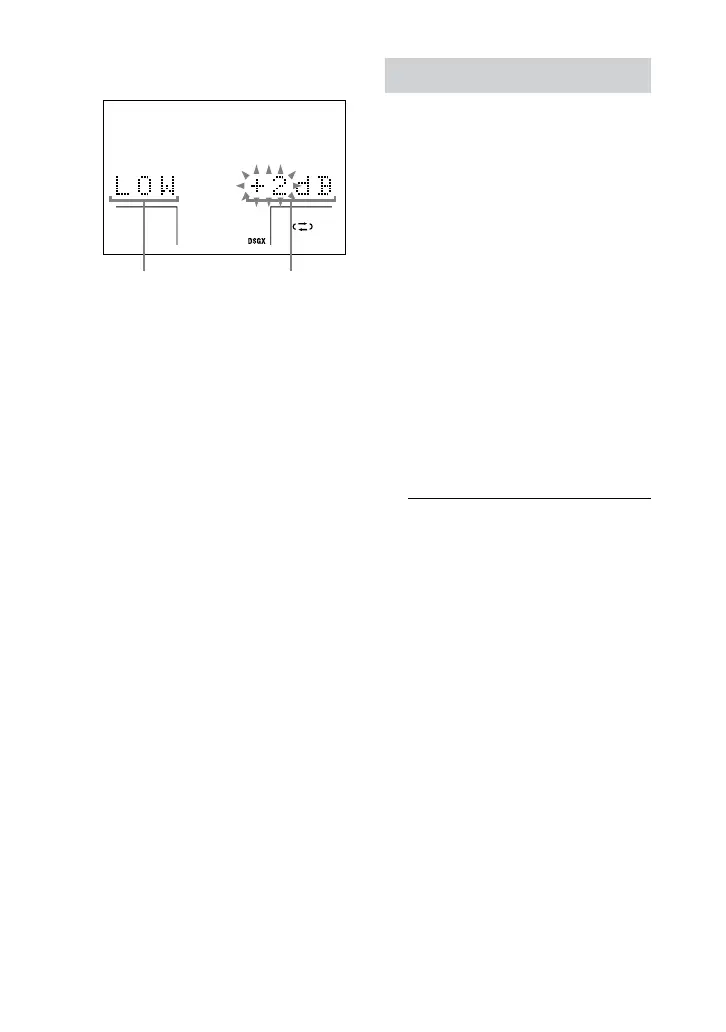
Press or
repeatedly to
adjust the level.
Frequency band Equalizer level
3
Repeat steps 1 and 2 to adjust the
level of other frequency bands.
4
Press EQ EDIT
on the unit
repeatedly to exit the setting mode.
Each time you press the button, the
display changes as follows:
“LOW” “MID” “HIGH”
Original display (Setting mode exited)
“LOW”
is setting is automatically stored as
“USER EQ.”
e previous setting stored at this
memory location is erased and
replaced by the new setting.
Selecting the sound eld
You can take advantage of the surround
sound simply by selecting one of the
sound elds. ey bring the exciting and
powerful sound of movie theaters into
your home.
1
Press SOUND FIELD
.
e last selected sound eld appears
in the display.
2
Press SOUND FIELD
repeatedly when the last
selected sound eld appears in
the display to select the sound
eld you want.
DHC-AZ55D:
When the headphones are not
connected:
SBS MULTI
1)2)
(Sound Broad System
Multi mode)
Performs suitable decoding based on
the source to maximize the sound
eld eect. is mode lets you enjoy
audio playback of all types of discs
from multiple speakers.










 To Next Page