49
Enjoying the camera
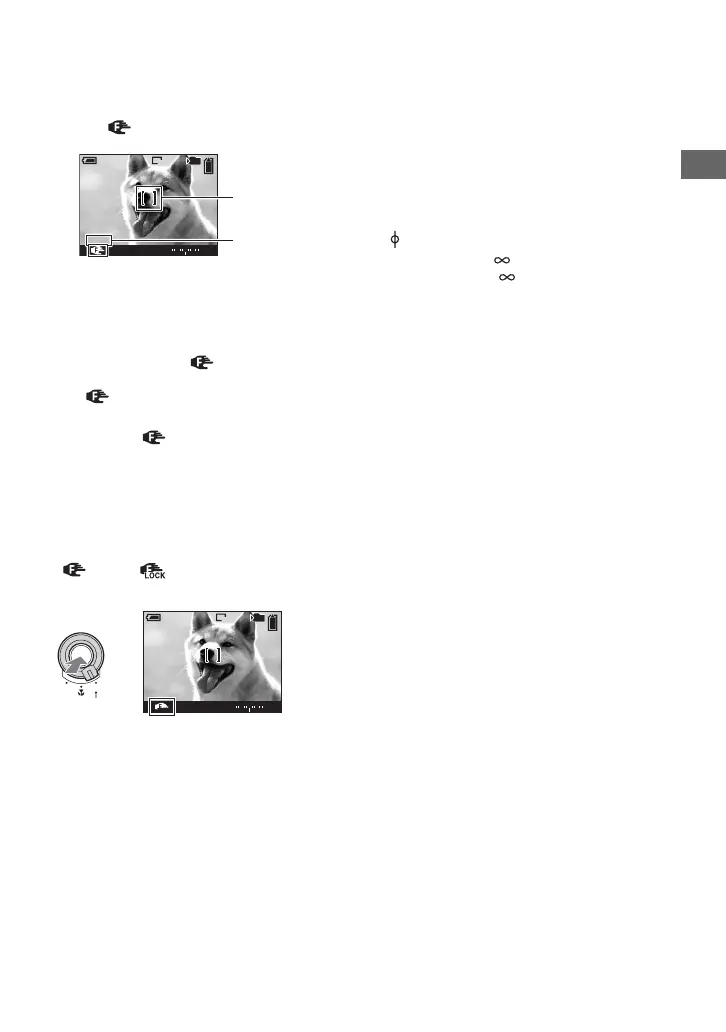
1 Set the FOCUS switch to MANUAL.
The (manual focus) indicator and PUSH AF/Expanded focus frame appear on the screen.
2 Move the PUSH AF/Expanded focus frame to the portion you want to focus on by moving the
multi-selector to v/V/b/B.
Using the expanded focus function (page 74), the area around the PUSH AF/Expanded focus
frame is doubled ( turns yellow), so you can easily focus on a subject. When you stop
rotating the manual focus ring, the expanded display will be canceled after about two seconds
( turns white).
3 Turn the manual focus ring to achieve a sharp focus.
When the indicator flashes, the focus distance has reached its limit.
• Manual focus distance information is approximate.
• The PUSH AF/Expanded focus frame is not displayed when using the digital zoom.
• To cancel the expanded focus function t page 74
z Convenient focus adjustment function
Pressing the PUSH AUTO button focuses on a subject located near the PUSH AF/Expanded focus frame
( turns to ). Since this helps to achieve the focus easily, you can use this function as a preparation
before doing fine adjustment with manual focus ring.
1M
FINE
98
3.5m
30 F2.8
-2 2+1 0 1
P
101
110min
PUSH AF/Expanded focus frame
The distance from the base point of distance mark
T side: About 40 cm (15 3/4 inches)
–
W side: About 35 cm (13 7/8 inches)
–
1M
FINE
98
30 F2.8
LOCK
-2 2+1 0 1
P
101
110min
FOCUS
AUTO
MANUAL
PUSH
AUTO
Manual focus Lock indicator
Flashing indicator t Indicator lit (for about five seconds)



 To Next Page