12
>
:A
OFF
OFF
LARGE
AVERAGE
PAGE 1 : NOR
SHUTTER
AE W NDOW
scan
STEP
0dB
GA NI
EXT. TR GGERI
I
DETECT ONI
2
4
1
3
5
6
Adjusting and Setting with Menus
About on-screen menu
This section explains how to read the on-screen menu before
starting menu operation.
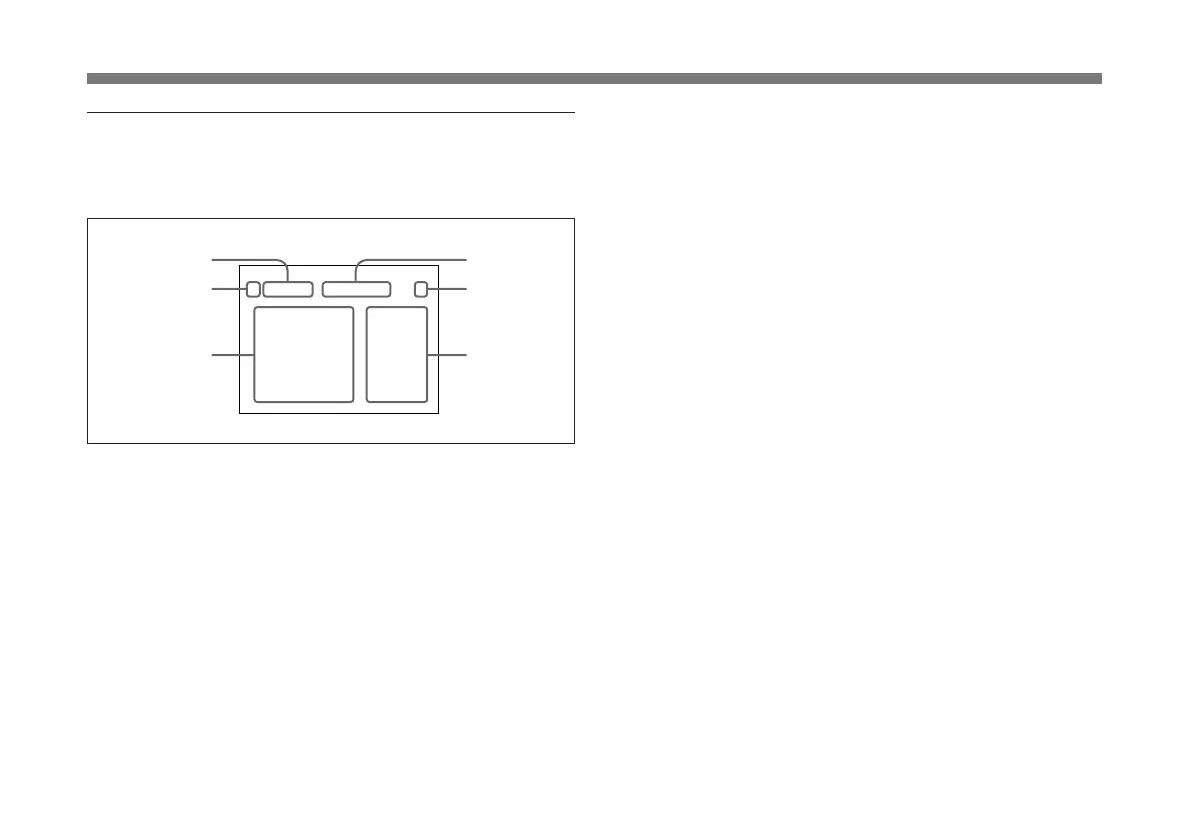
1 Menu page
Displays the currently selected memory page.
Select the menu page using the DATA UP/DOWN buttons
when the cursor is positioned on the menu page display.
2 Cursor
Selects an item. Move the cursor up/down using the
FUNCTION UP/DOWN buttons.
3 Setting items
Scroll through the items to be set with the FUNCTION UP/
DOWN buttons.
4 SCAN mode
Indicates the currently selected scan mode.
For detailed information on the scan mode, see “Setting the Scan
Mode” on page 35.
5 User preset
Indicates the currently selected user preset (A or B).
When “PROTECT” is set to “ON”, a flashing “P” is
displayed before the user preset A or B.
For details, see “PAGE 4 menu” on page 24.
6 Set values
Indicates the currently set value.
Change the values using the DATA UP/DOWN buttons.



 To Next Page