14
Menu operation procedure
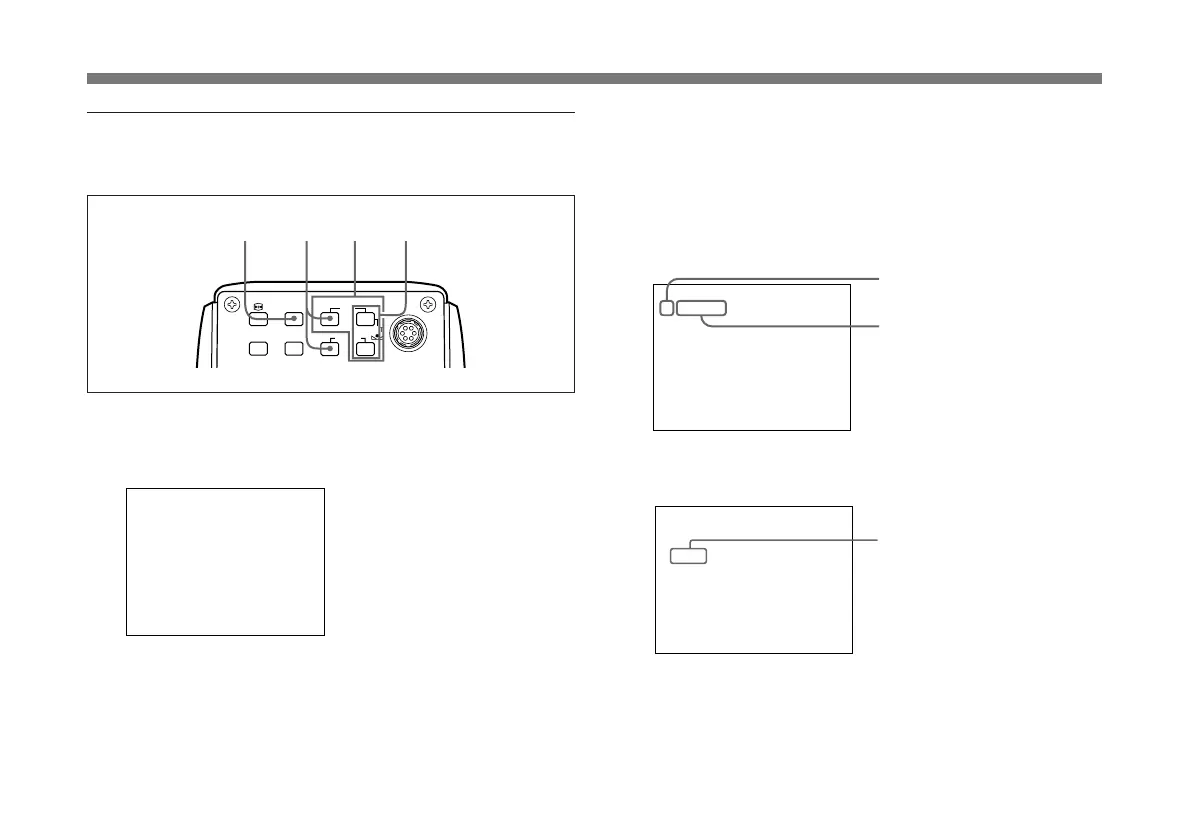
To change the settings on the menu, proceed as follows.
1 Press the MENU button.
The menu page that was selected last is displayed on the
monitor screen.
>
:A
STEP
1/125
OFF
MED UM
PEAK
PAGE 1 : NOR
SHUTTER
AE W NDOW
scan
STEP
0dB
GA NI
SPEED
EXT. TR GGERI
I
DETECT ONI
I
LENS
MENU
FUNCTION
DATA
UP
WHITE
BARS
SCAN
DOWN
FREEZE
SOURCE
1
4
Cursor
2 Select the desired page.
1 Move the cursor to the first line on the menu by
pressing the FUNCTION UP button.
2 Select the desired menu page by pressing the
DATA UP or DOWN button.
>
:A
STEP
1/125
OFF
MED UM
PEAK
PAGE 1 : NOR
SHUTTER
AE W NDOW
scan
STEP
0dB
GA NI
SPEED
EXT. TR GGERI
I
DETECT ONI
I
3 Move the cursor to the item to be set by pressing the
FUNCTION UP or DOWN button.
:A
STEP
OFF
MED UM
PEAK
PAGE 1 : NOR
SHUTTER
AE W NDOW
scan
STEP
0dB
GA NI
EXT. TR GGERI
I
DETECT ONI
I
SPEED
1/25
>
Adjusting and Setting with Menus
32
Menu page
Setting item



 To Next Page