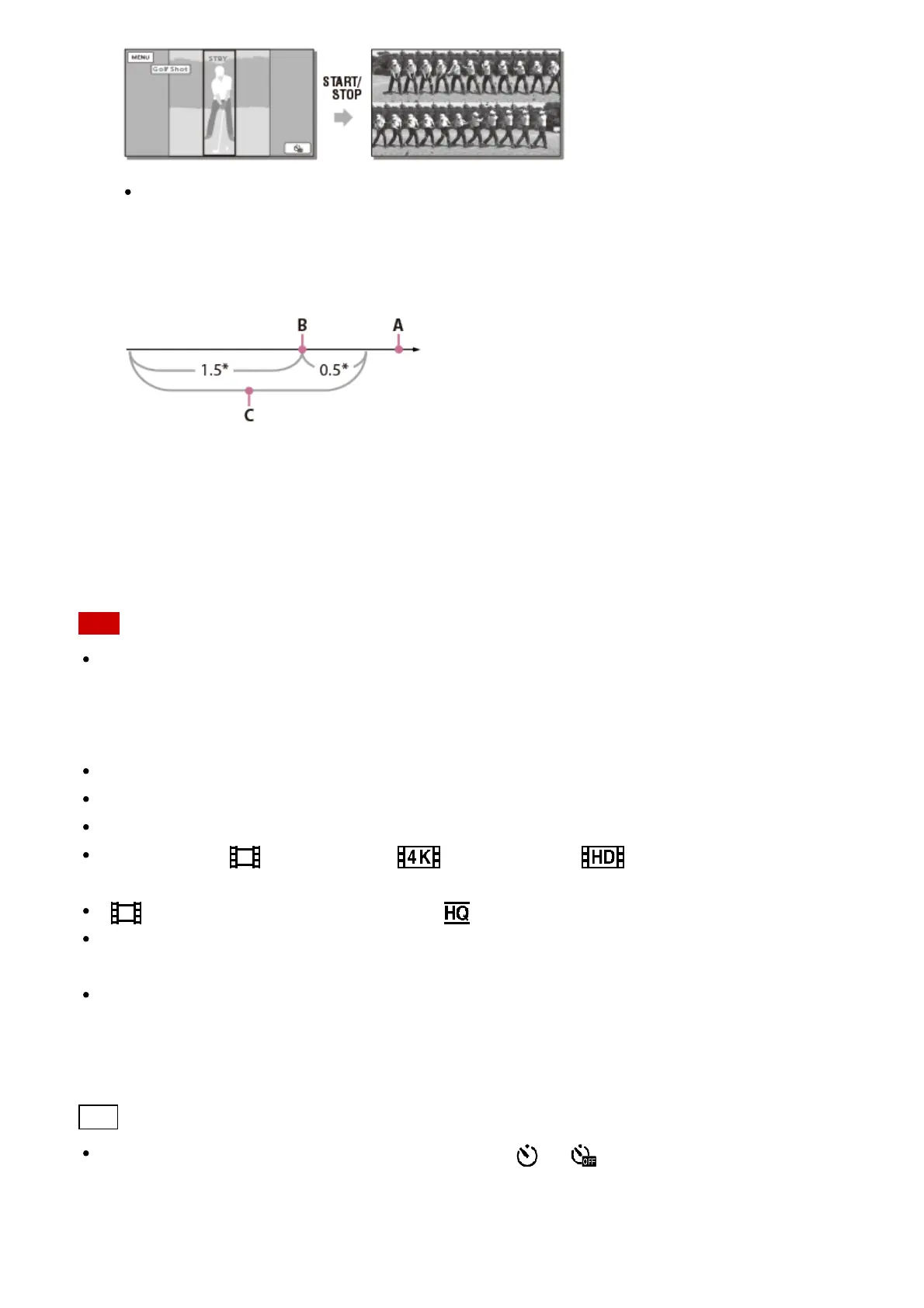
The moment when the largest sound is detected within the first second after
START/STOP is pressed is assumed as the moment that a club hit a ball, and the
period of time adjusted automatically according to the detected moment will be
recorded.
*
seconds
A: The point when you press START/STOP
B: The sound of a club hitting the ball
C: This product records images in this 2 second period.
Note
If this product cannot detect the sound of a club hitting the ball, this product automatically
sets the impact point at 0.5 second before the START/STOP button has been pressed,
and records a movie in the time period between 1.5 seconds before the impact point to
0.5 second after the impact point.
The size of photos becomes 1,920×1,080.
You cannot record sound.
Image quality is not as good as that of normal recording.
When you set [ File Format] to [ XAVC S 4K] or [ XAVC S HD], this function
is not available.
[ REC Mode] will be set to [Standard ] automatically.
Impact sound may be detected by the built-in microphone even when an external
microphone is attached.
The image recorded may be noisy when this product has failed to analyze the shot
properly because there may be movement in background of the recording screen. It is
recommended that you record images under stable conditions (for example, using a
tripod).
Hint
You can check your form using self-timer. Select [ ] / [ ] - [On], this product starts
countdown of the timer after you press the START/STOP button. The point when the
count reaches 0 is assumed as the moment of impact and motion before and after 0 is
recorded.



 To Next Page