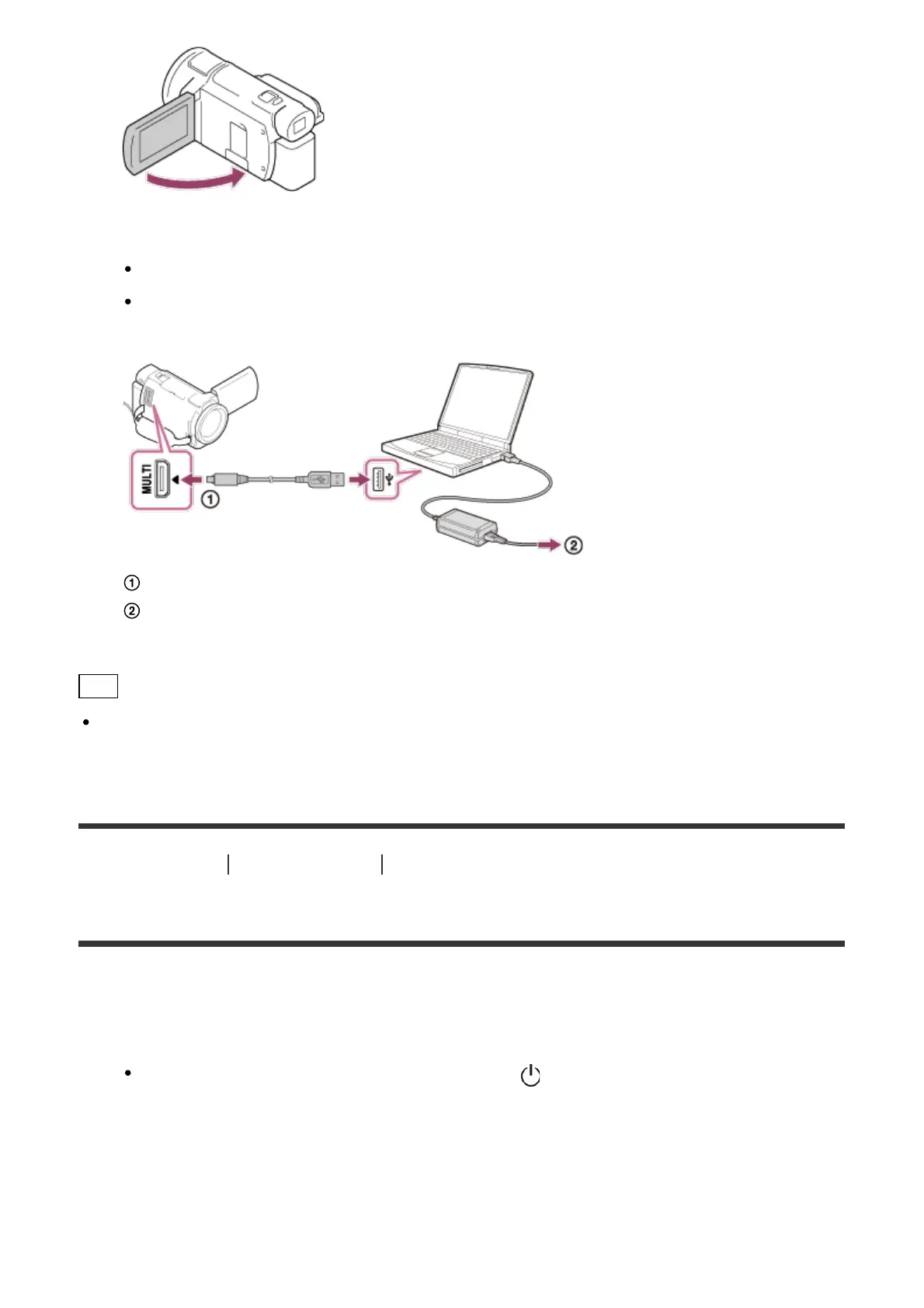
2. Connect this product to a running computer using the micro USB cable.
The POWER/CHG (charge) lamp turns orange.
The POWER/CHG (charge) lamp turns off when the battery pack is fully charged.
Remove the micro USB cable from this product and the computer.
: micro USB cable
: To a wall outlet (wall socket)
Hint
It is recommended that you charge the battery in a temperature range of 10 °C to 30 °C
(50 °F to 86 °F).
[12] How to Use
Getting started Power source preparations
Turning the power on
Turn on this product.
1. Open the LCD monitor of this product and turn the power on.
You can also turn on this product by pressing (ON/STANDBY) button or by pulling
out the viewfinder (models with the viewfinder).



 To Next Page