[76] How to Use Using the Wi-Fi function Transferring images to a smartphone
Transferring movies (MP4) and photos to your
smartphone or tablet using the NFC function (NFC one-
touch sharing)
Transfer images to your NFC-enabled Android smartphone or tablet.
Note
Make sure that your smartphone is not in sleep mode and the screen is unlocked in
advance.
1. Install PlayMemories Mobile on your smartphone.
If PlayMemories Mobile is already installed in your smartphone, update the software
to the latest version.
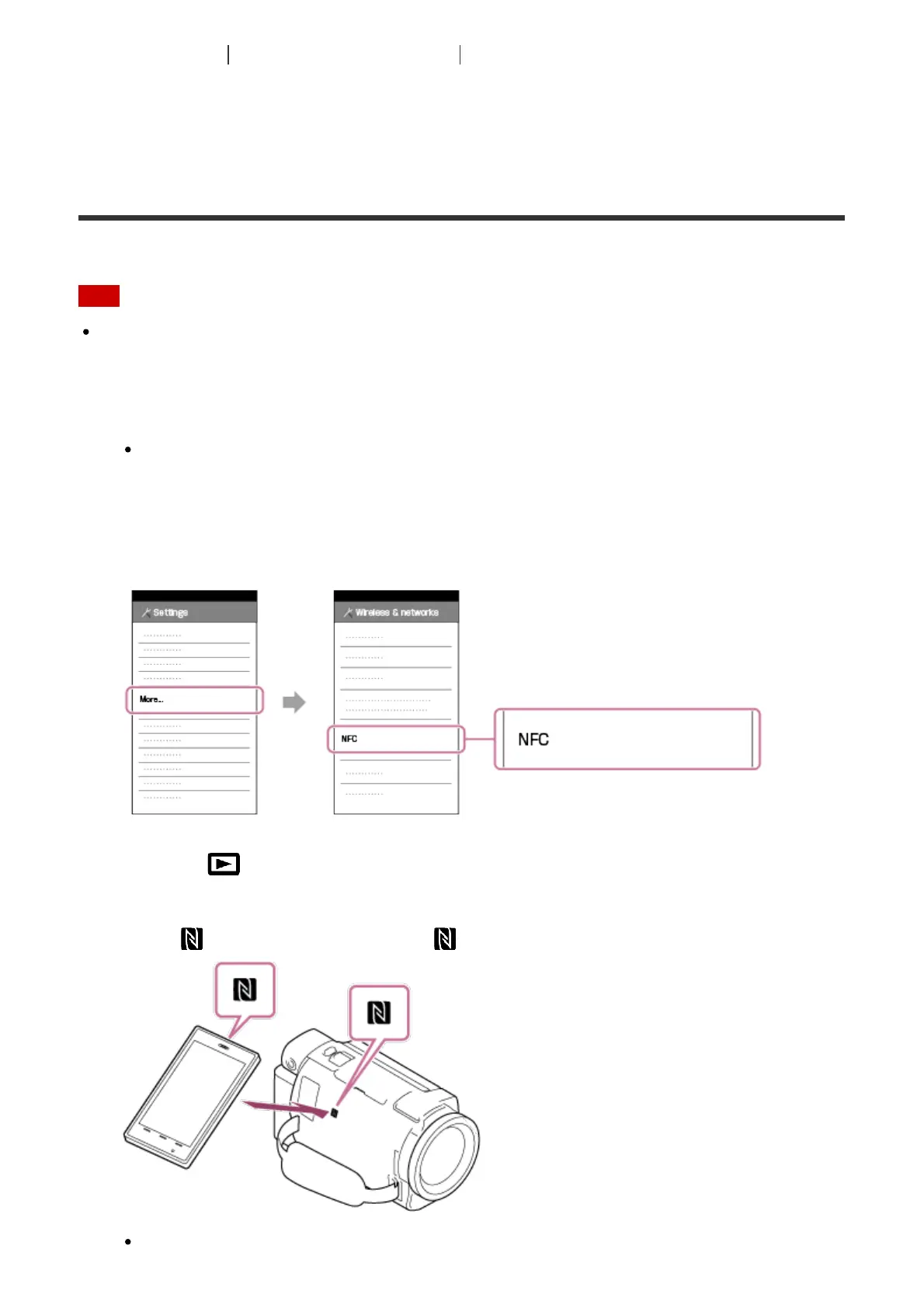
2. Select [Settings] on the smartphone, then select [More…] and place a checkmark next
to [NFC].
3. Press the button on this product to enter the playback mode, and then display the
image you want to transfer on the LCD monitor of this product.
4. Touch (N mark) of this product to (N mark) of your smartphone.
Hold this product and your smartphone together and keep them still for about 1-2



 To Next Page