display. It is recommended you record images with [Grid Line] set to [On] using the outer
frame of [Grid Line] as a guide.
Check the subject on the LCD monitor, and then start recording.
If the lens cover does not fully open, only a black screen and sound may be recorded.
While recording XAVC S 4K movies, you cannot output movies to an external monitor via
an HDMI/video connection.
Hint
When [Dual Video REC] is set to [On], this product records an XAVC S movie and an
MP4 movie simultaneously, or records an AVCHD movie and an MP4 movie
simultaneously.
In the default setting, [Dual Video REC] is set to [Off].
[19] How to Use
Recording Recording movies/photos
Shooting photos
Shoot photos.
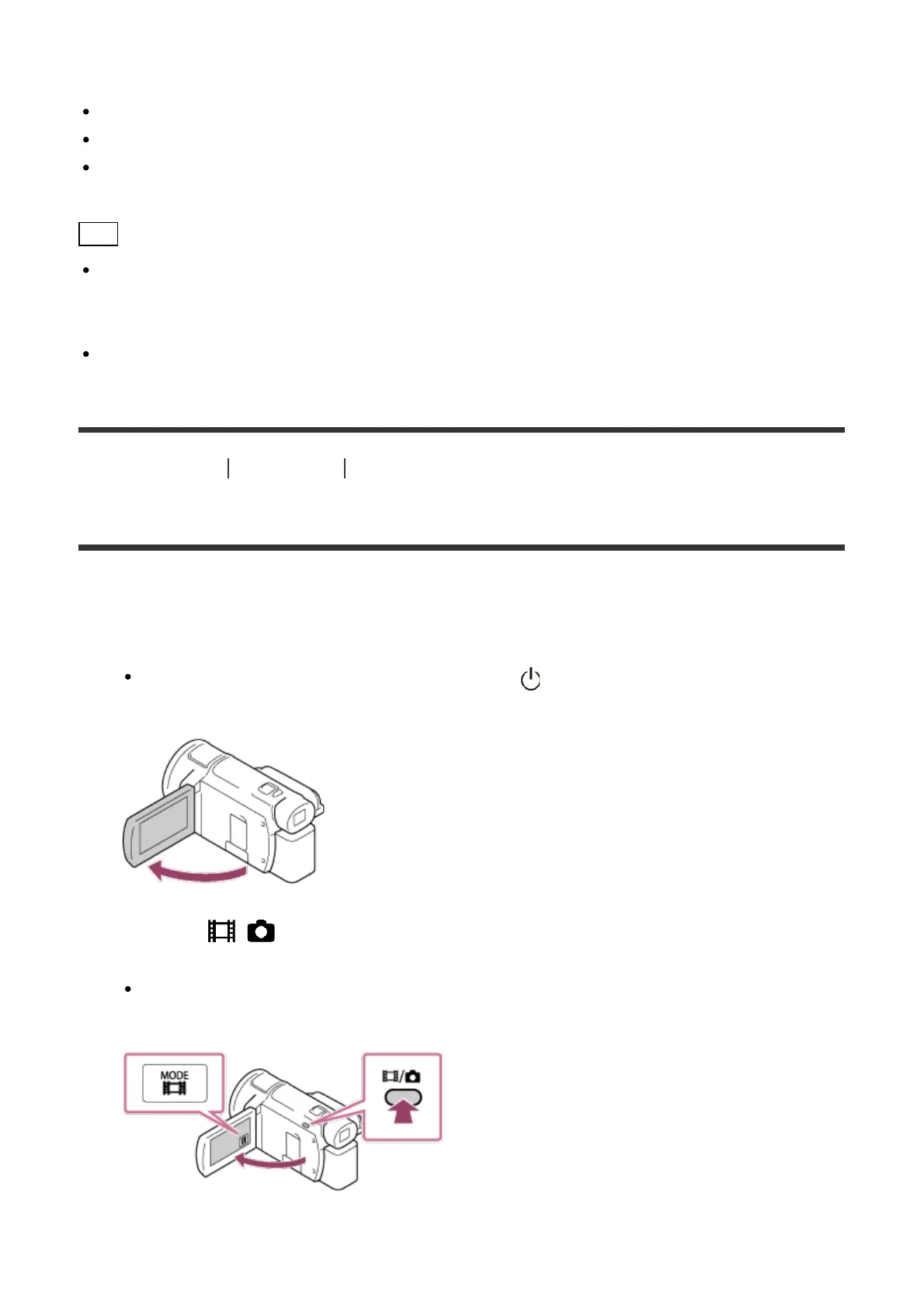
1. Open the LCD monitor of this product to turn the power on.
You can also turn on this product by pressing (ON/STANDBY) button or by pulling
out the viewfinder (models with the viewfinder).
2. Press the / (Shooting Mode) button to select the photo recording mode (models
with the viewfinder).
You can also select the photo recording mode by selecting [MODE] on the LCD
monitor.
3. Press PHOTO lightly to adjust the focus, then press it fully.



 To Next Page