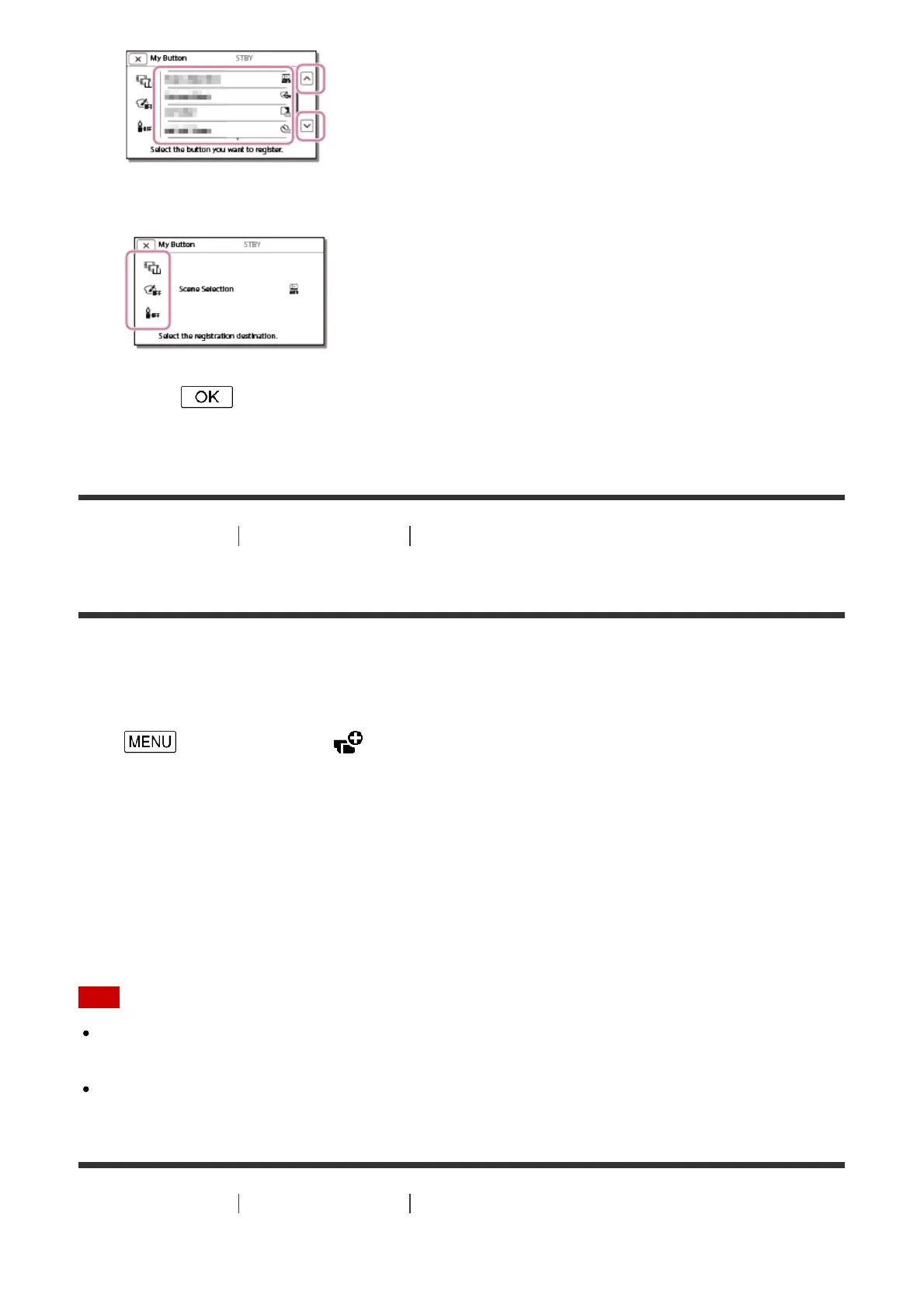
3. Select one of the My Buttons to which the menu item will be assigned.
4. Select .
[131] How to Use Menu operations Camera/Mic
Focus Magnifier (models with the viewfinder)
You can magnify an image that appears at the center of the LCD monitor by about 2.0 times
to confirm the sharpness of the focus.
1. - [Camera/Mic] - [ Shooting Assist] - [Focus Magnifier] - desired setting.
Descriptions of menu items
Off:
Does not magnify images.
On:
Magnify images.
Note
Even though the image displayed on this product has been magnified, the recorded image
is not magnified.
The image that is output to an external device is not magnified.
[132] How to Use
Menu operations Camera/Mic
Grid Line


 To Next Page