[52] How to Use Playback Playing images on a high definition TV
Enlarging a part of an XAVC S 4K movie on the screen
during playback on TV (Trimming Playback)
You can enlarge a desired part of the image while a movie recorded in [ XAVC S 4K]
format is being played back on TV. The enlarged part is played back in high definition image
quality.
Photos are also trimmed and enlarged if you play back images in the event with both movies
and photos.
1. Switch the setting of this product according to the resolution of the connected 4K or
high definition TV.
- [Setup] - [ Connection] - [HDMI Resolution] - desired setting.
HDMI Resolution:
4K TV: [Auto](*), [2160p/1080p] (*), [1080p], [1080i], [720p]
High definition TV: [Auto], [1080p], [1080i], [720p]
*
A black screen appears for several seconds when the Trimming Playback function is turned
on or off.
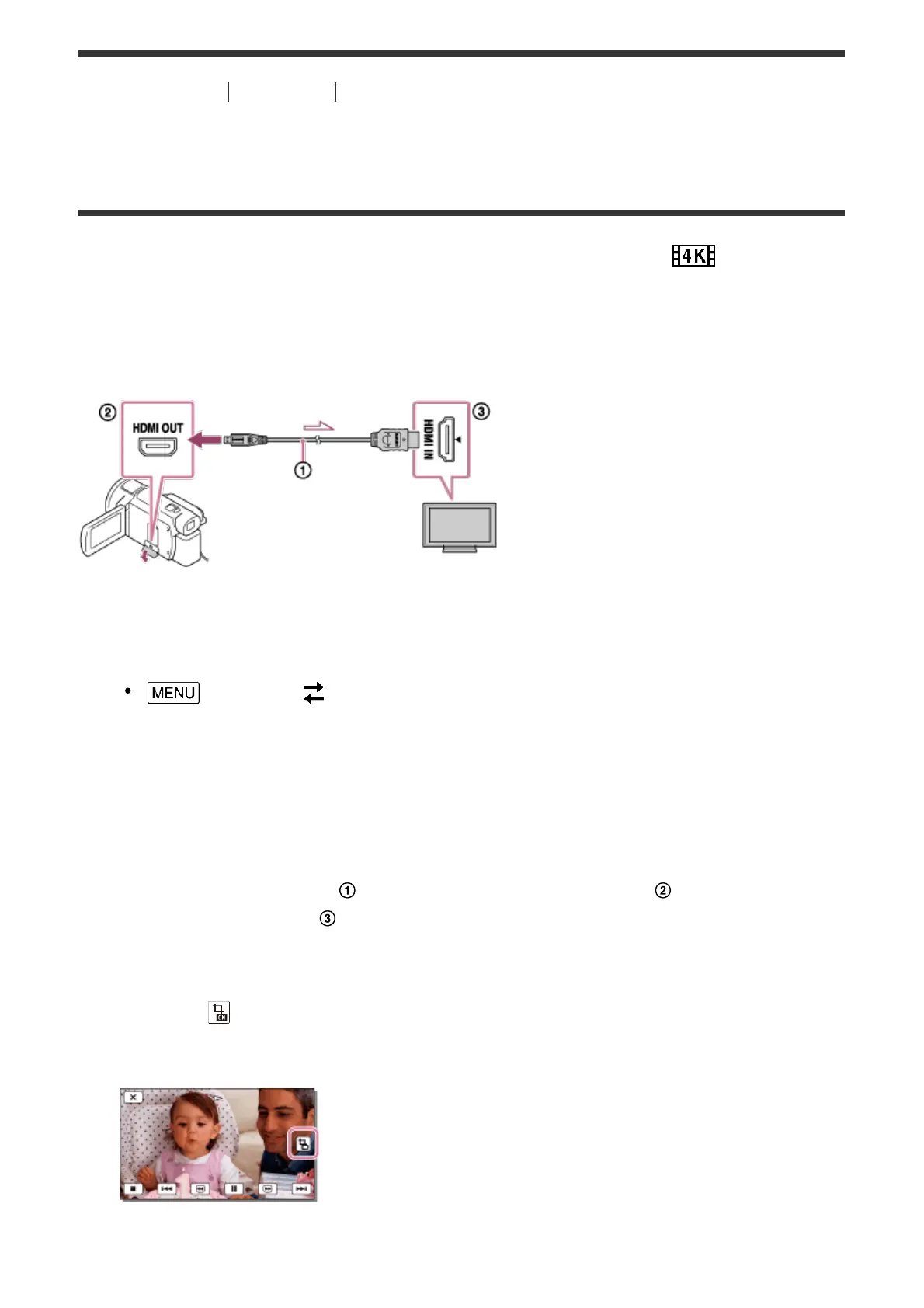
2. Connect the HDMI cable ( ) (supplied) to the HDMI OUT jack ( ) on this product and
to the HDMI input jack ( ) on the TV.
3. Play a desired movie saved on this product.
4. Touch the (Trimming Playback) button on the LCD monitor of this product during
movie playback.
The trimming playback frame appears.
5. Touch the area you want to enlarge on the LCD monitor of this product.



 To Next Page