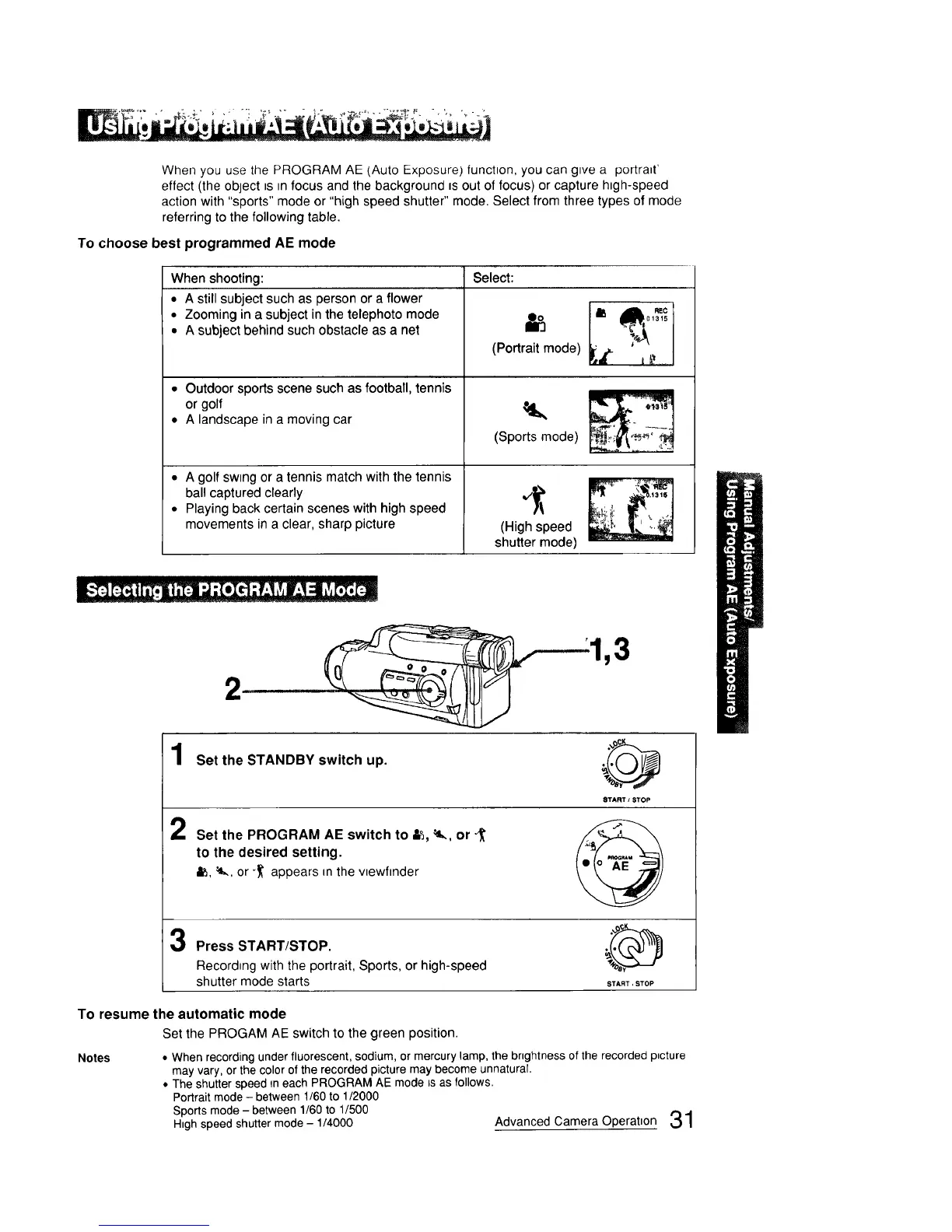
When you use the PROGRAM AE (Auto Exposure) function, you can give a portrait'
effect (the object ts m focus and the background is out of focus) or capture htgh-speed
action with "sports" mode or "high speed shutter" mode. Select from three types of mode
referring to the following table.
To choose best programmed AE mode
When shooting:
• A still subject such as person or a flower
• Zooming in a subject in the telephoto mode
• A subject behind such obstacle as a net
• Outdoor sports scene such as football, tennis
or golf
• A landscape in a moving car
• A golf sw=ngor a tennis match with the tennis
bal! captured clearly
• Playing back certain scenes with high speed
movements in a clear, sharp picture
Select:
(Portrait mode) _
(Sports mode)
_ \._, _
IV/_ " ,t31S
(High speed _
shutter mode)
1
2
2
Set the STANDBY switch up.
START / STOP
Set the PROGRAM AE switch to _, _, or _'
to the desired setting.
&_,_., or _ appears in the vlewfmder
Press START/STOP.
Recording with the portrait, Sports, or high-speed
shutter mode starts
START, STOP
To resume the automatic mode
Set the PROGAM AE switch to the green position.
Notes • When recording under fluorescent, sodium, or mercury lamp, the brightness of the recorded p_cture
may vary, or the color of the recorded picture may become unnatural.
• The shutter speed in each PROGRAM AE mode _sas follows.
Portrait mode - between 1/60 to 1/2000
Sports mode -between 1/60 to 1/500
High speed shutter mode - 1/4000 Advanced Camera Operation 31



 To Next Page