HBD-E280/T28
10
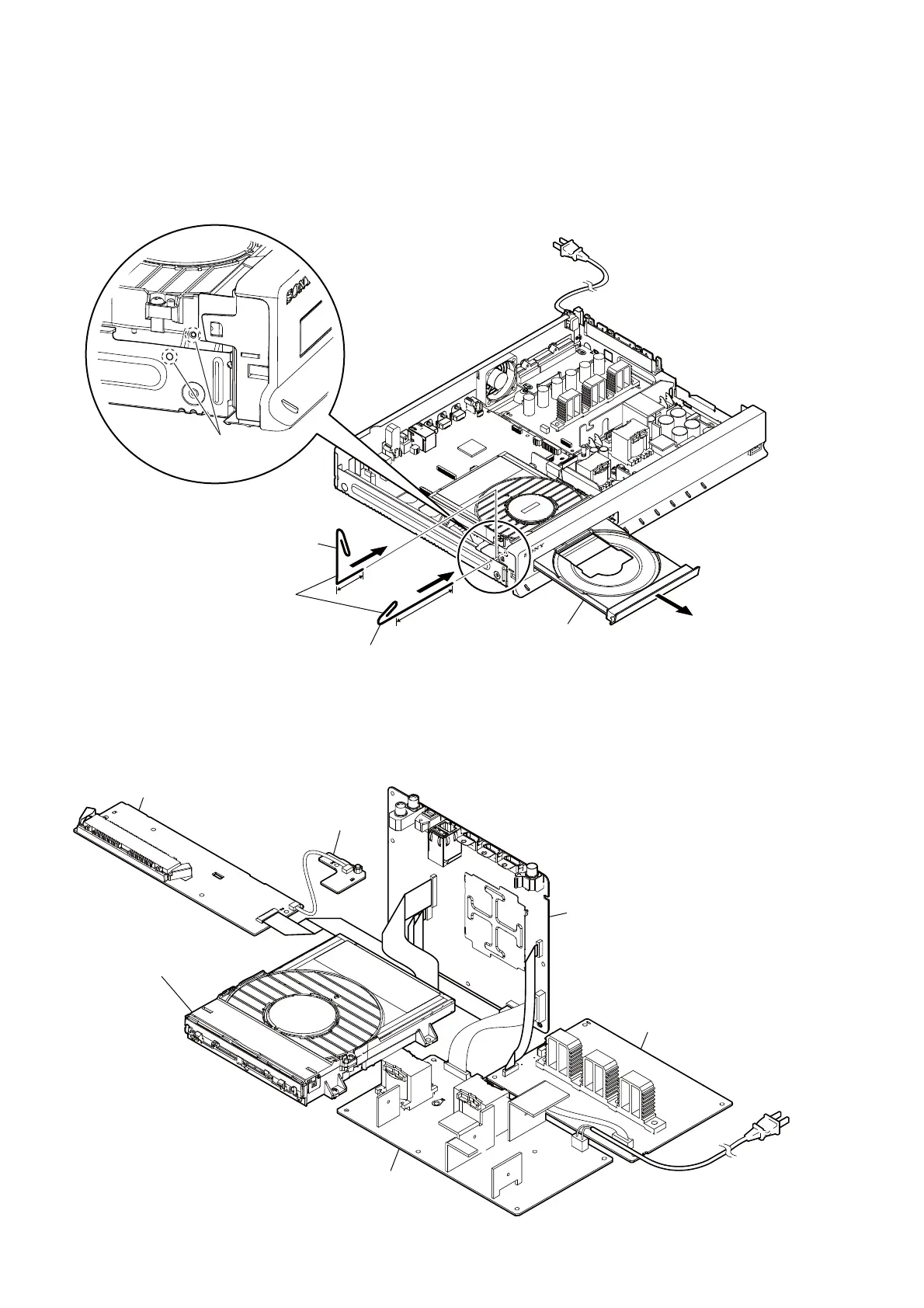
HOW TO OPEN THE TRAY WHEN POWER SWITCH TURN OFF
Note 1: After the case (E0) is removed, this work is done.
Note 2: Please prepare the thin wire (clip etc. processed as shown in fi gure below).
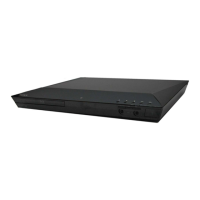
SERVICE POSITION
1 Remove the case (E0).
(Illustration of disassembly is omitted.)
two holes
– Side view –
3
tray
2
2
Note:
It is possible to work by two methods.
clip etc. processed to
the length of 8 cm or more
8 cm or more
clip etc. processed to
the length of 3.5 cm
3.5 cm
DISPLAY board
POWER KEY board
MB-141 board
AMP board
switching regulator
(SWR1)
BD Drive
(BPX-6)


 To Next Page