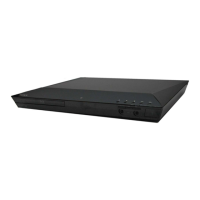
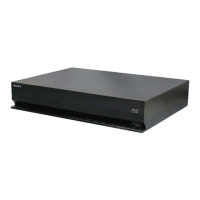
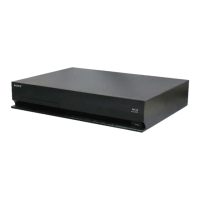
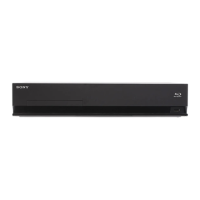
HBD-E280/T28
5
NOTE OF REPLACING THE OPTICAL DEVICE (KEM-
470AAA) OR MB-141 BOARD
The password will be supplied to only service HQ, and
service center name, q’ty and all of software registered
information should be maintained by service HQ, and
Audio will ask to report the registration information.
Optical device (KEM-470AAA) for BD requires precise read out
functions and secure contents protection system for more than past
DVD/CD.
Therefore, in the case repaired as follows, the writing work of the
OP data is necessary.
• When the optical device (KEM-470AAA) is replaced (The
MB-141 board doesn’t replace).
• When both the optical device (KEM-470AAA) and MB-141
board are replaced.
• When the MB-141 board is replaced (The optical device
(KEM-470AAA) doesn’t replace) (In this case, do the work of
“3. Optical device (KEM-470AAA) replacement” other than
the replacement of new optical device).
Note: The servo adjustment is done while writing the OP data. The manual
adjustment is unnecessary.
LD ON TIME history doesn’t carry over.
Do not touch any optical block parts, turn table and during replac-
ing. BD laser diode is very sensitive.
1. Preparation
1-1. ESD Countermeasure
It is necessary to confi rm the state of static electricity in the work
space before the repair is started.
The static electricity resistance of the BD laser is weaker than that
of the DVD/CD laser.
Do work space and worker’s ESD countermeasures to prevent de-
struction by ESD.
1-2. Jig
• Digital camera (Recommend with macro mode)
• USB memory
• PC
• Barcode decoder (Refer to “1-3. Barcode decoder
(BDPRdec)”)
1-3. Barcode decoder (BDPRdec)
Part No. : J-6090-212-A
Jig name : BDPRdec.exe
Release : 2010.11.26
Version : 2.0.0.0
Software contents :
• BDPRdec.exe : Barcode decoder software
• SavePath.ini : Decoded fi le destination setting fi le (Ini-
tial destination is “C:\BuData.txt”)
• TasmanBars.dll : Decode dll
• Uninst.exe : Uninstall the “BDPRdec.exe” from PC
Install procedure:
1. Unzip the barcode decoder fi les to any PC folder.
2. Check the attached 2D code photo (OK_sample.JPG) drag &
drop onto “BDBUDec.exe”.
When the barcode decoder is used for the fi rst time, the pass-
word is necessary. It is unnecessary since the second times.
Note 1: The password will be supplied to only service headquarters, and
service center name/q’ty/all of software registered information
should be maintained by service headquarters.
Note 2: Do not change the decoded fi le name “BuData.txt”.
3. When “.NET frame work requirements” is displayed, down-
load following applications from Microsoft download site.
• Microsoft .NET Framework Version 2.0 Redistributable Pack-
age (x86)
http://www.microsoft.com/downloads/details.aspx?displaylan
g=en&FamilyID=0856eacb-4362-4b0d-8edd-aab15c5e04f5
• Microsoft .NET Framework 2.0 Service Pack 1 (x86)
http://www.microsoft.com/downloads/details.aspx?displaylan
g=en&FamilyID=79bc3b77-e02c-4ad3-aacf-a7633f706ba5
How to use:
Case 1 Drag & drop 2D code photo onto “BDPRdec.exe”.
Case 2 Drag & drop BU data fi le onto “BDPRdec.exe”.
Data fi le name be changed to specify format and end of
7 character are defi ned.
You can also enter the fi le path at the prompt.


 To Next Page