71
HVR-V1E/V1P
2-887-521-12(1)
Using the Menu
L:\SONY\PV\CX91030\1130insatuPDF\2887521121_GB\2887521111HVRV1UVIN\01GB06MEN
.fm
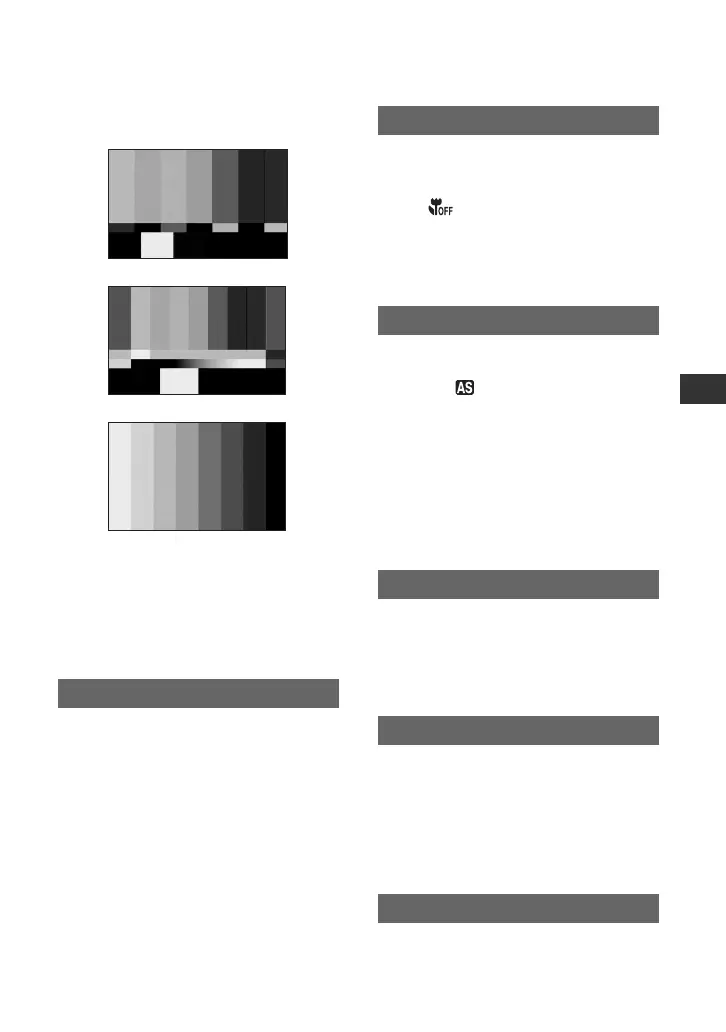
x TYPE
You can select the color bar type.
x TONE
When you set [ON/OFF] to [ON] and
[TONE] to [ON], audio tone signals (1kHz:
full bit -18dB) are output (the default
setting is [OFF]).
When you set [AF ASSIST] to [ON], you
can briefly focus manually by turning the
focus ring during the auto focus. (the
default setting is [OFF]).
Since the default setting is [ON], you can
focus on a subject within 80 cm (about 2 5/
8 feet). When [FOCUS MACRO] is set to
[OFF] ( ), you cannot focus on a subject
within 80 cm (about 2 5/8 feet) but you can
easily find the focal point of a subject at 80
cm (about 2 5/8 feet) or further regardless
of the zoom position.
You can adjust the exposure between -7
(dark) and +7 (bright) using the SEL/PUSH
EXEC dial. and the setting value appear
when [AE SHIFT] is set to anything other
than the default setting.
b Notes
• If you adjust all of the iris, gain, shutter speed
manually, you cannot obtain the effect of [AE
SHIFT].
• This function is not effective when [HYPER
GAIN] is set.
You can select the speed to adjust the
exposure automatically, in accordance with
the brightness of the subject. [FAST],
[MIDDLE], and [SLOW] are available (the
default setting is [FAST]).
You can select the upper limit for the Auto
Gain Control (AGC) from [OFF] (18dB, the
default setting), [12dB], [6dB] or [0dB].
b Note
• If you adjust the gain manually, you cannot
obtain the effect of [AGC LIMIT].
You can select the highest iris value for the
automatic adjustment from [F11] (the
default settings), [F5.6], [F4].
AF ASSIST
TYPE 1
TYPE 2
TYPE 3
FOCUS MACRO
AE SHIFT
AE RESPONSE
AGC LIMIT
AT IRIS LMT
Continued ,



 To Next Page