Help Guide
IC Recorder
ICD-UX570F / ICD-UX575F
Clearing the FM radio preset number assignment
You can clear the assignment of individual preset numbers.
Related Topic
Assigning FM radio stations automatically to the preset numbers (Auto Preset)
Assigning FM radio stations manually to the preset numbers
5-006-945-11(1) Copyright 2019 Sony Corporation
Select [
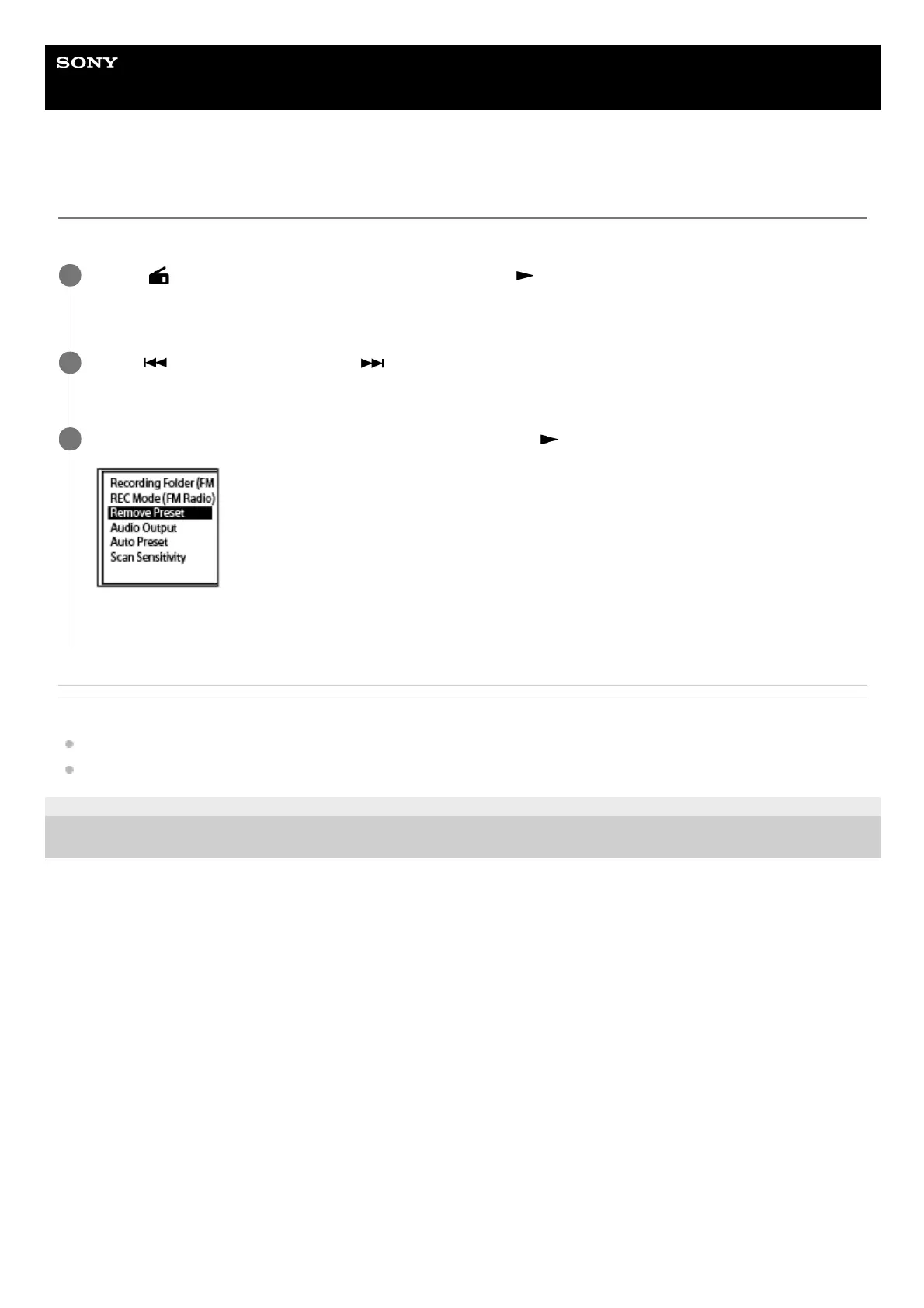
FM Radio] on the HOME menu, and then press (play).
Enters FM radio mode.
1
Press
(review/fast backward) or (cue/fast forward) repeatedly to tune in the FM radio station of
which preset number assignment (PXX) you want to clear.
2
Select [Remove Preset] on the OPTION menu, and then press
(play).
The preset number turns to [P - -].
3



 To Next Page