Help Guide
IC Recorder
ICD-UX570F / ICD-UX575F
Specifying the playback range in the stored file list
You can specify the playback range in the playback file list. The contents in the playback range vary depending on the
selected file search category for the recorded files or music.
Descriptions of menu items
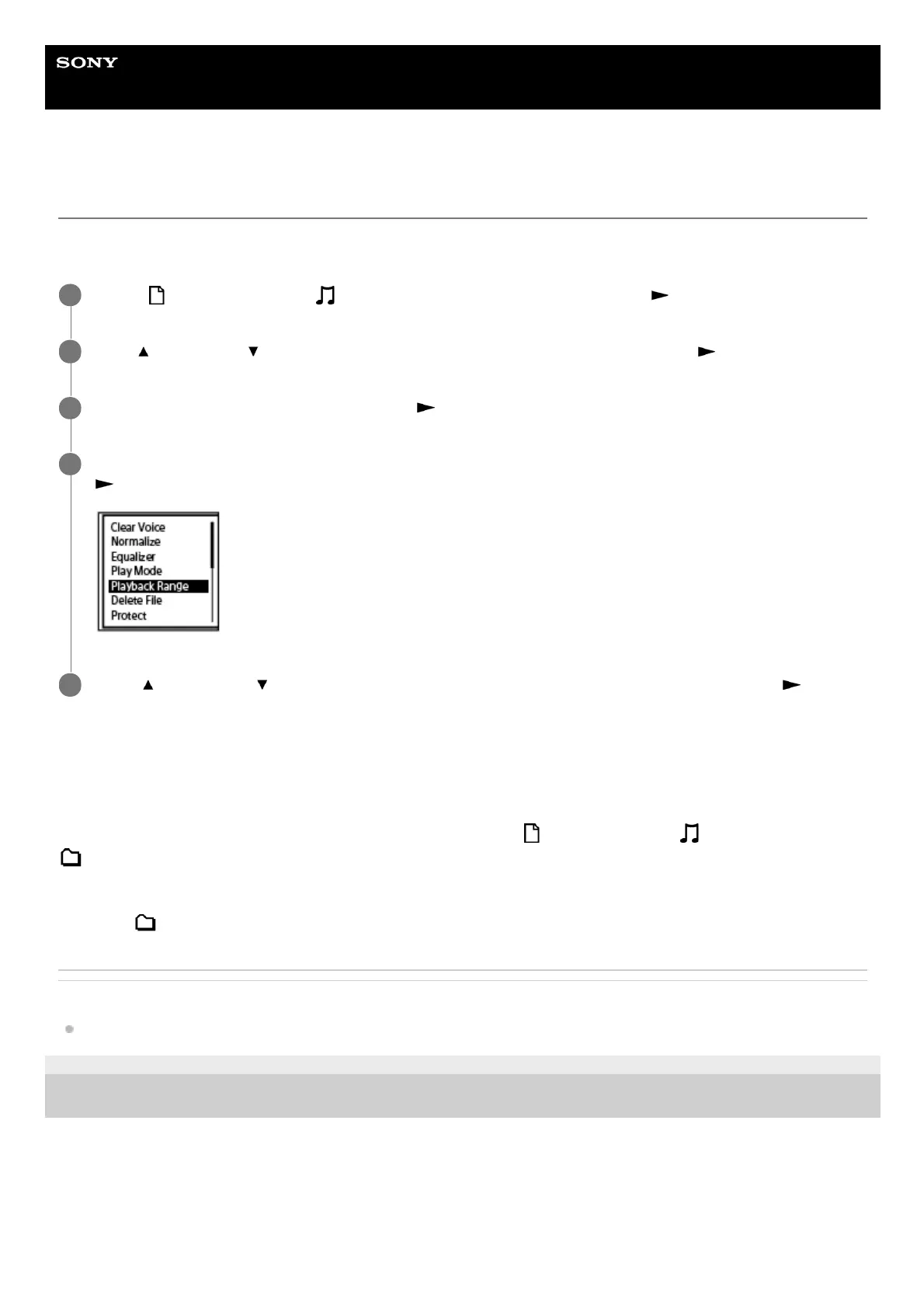
You can select one of the following items:
All Range:
Plays all files that belong to the file search category you selected for [
Recorded Files] or [ Music].
Selected Range:
Plays all files that are contained in the folder (recording date, recording scene, artist name, album title, etc.), including
the current playing file (default setting).
Selecting [
Selected Range] displays the folder icon on the playback screen.
Related Topic
Selecting a file
5-006-945-11(1) Copyright 2019 Sony Corporation
Select [
Recorded Files] or [ Music] on the HOME menu, and then press (play).
1
Press
(move up) or (move down) to select a file search category, and then press (play).
2
Select a file you want to play, and then press
(play).
3
While playback is on standby or in progress, select [Playback Range] on the OPTION menu, and then press
(play).
4
Press
(move up) or (move down) to select [All Range] or [Selected Range], and then press (play).
5



 To Next Page