Help Guide
IC Recorder
ICD-UX570F / ICD-UX575F
Reducing noise during recording (Recording Filter)
With the Recording Filter function, you can reduce noise in the recordings.
Description of menu items
You can select one of the following items:
OFF:
Turns off the Recording Filter function (default setting).
NCF(Noise Cut):
Cuts high-frequency sounds except for human voices as well as low-frequency sounds.
LCF(Low Cut):
Cuts low-frequency sounds, including noise from projectors and roaring wind sounds.
Note
While [Audio IN] is selected for [Ext. Input Setting] or FM radio recording is in progress, the Recording Filter function does not
work.
[NCF(Noise Cut)] is optimized for voice recording. When [For Music] is selected for [Manual] under [Built-In Mic Sensitivity], the
Recording Filter function is disabled.
Hint
To cancel the Recording Filter function setup process, select [OFF] in step 2.
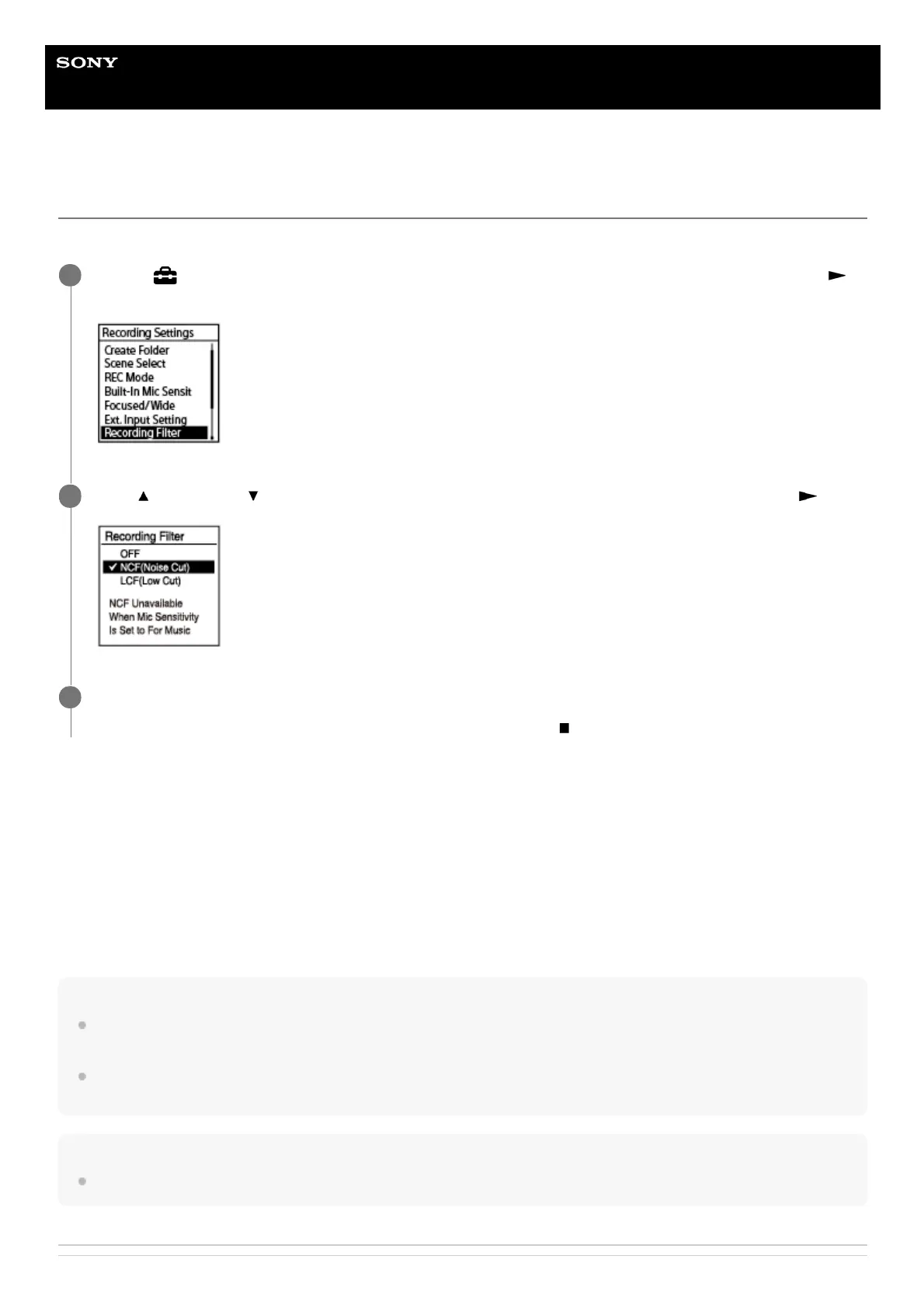
Select [
Settings] - [Recording Settings] - [Recording Filter] from the HOME menu, and then press
(play).
1
Press
(move up) or (move down) to select [NCF(Noise Cut)] or [LCF(Low Cut)], and then press (play).
2
Press and hold BACK/HOME to return to the HOME menu.
To return to the screen before you displayed the HOME menu, press
STOP.
3



 To Next Page