Help Guide
IC Recorder
ICD-UX570F / ICD-UX575F
Quickly locating your desired portion of a recording (Time Jump)
With the time jump function, you can move the total playback time of each file to 1 of 10 divided positions.
You can quickly locate your desired portion of long recorded files.
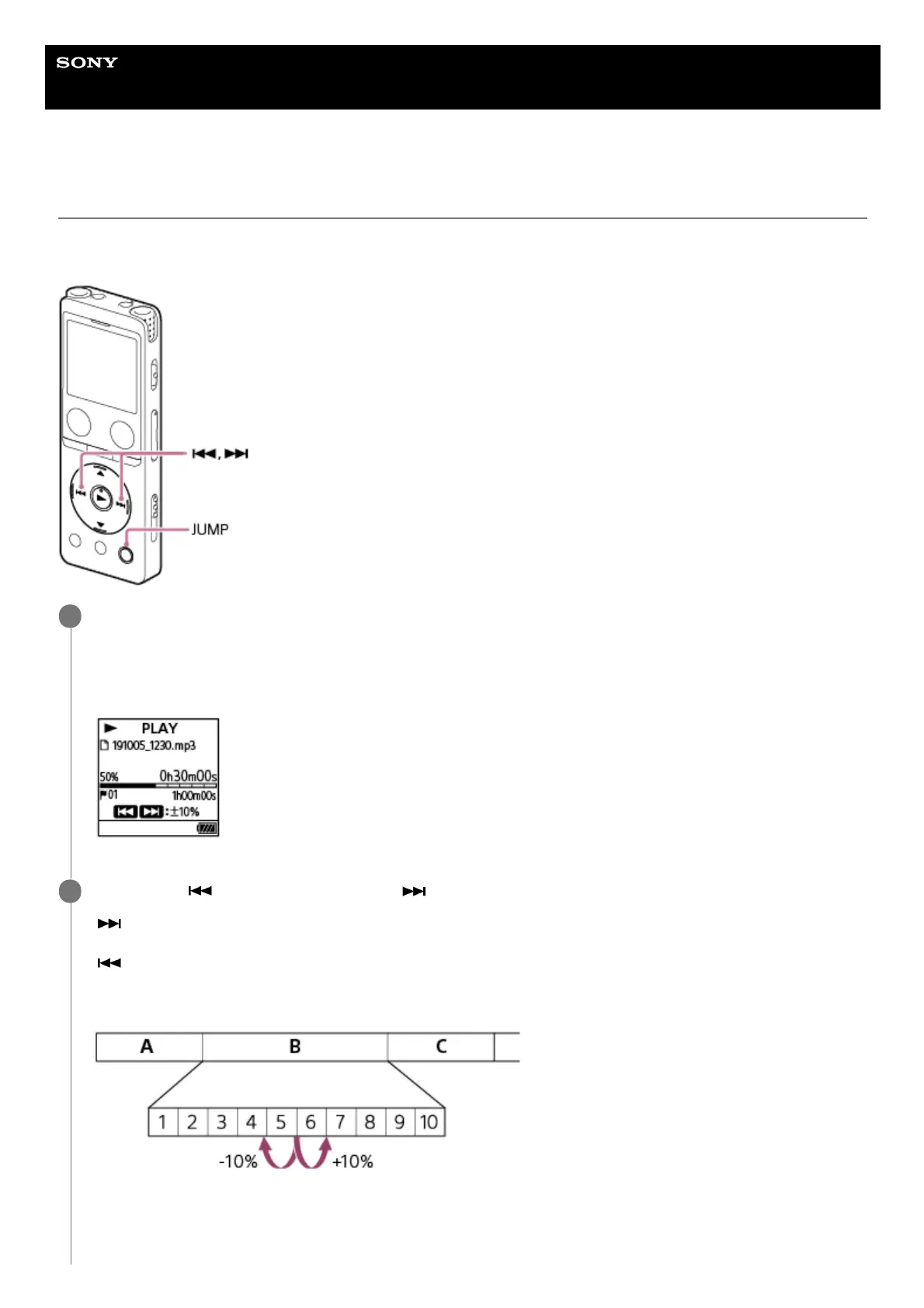
While playback is in progress, press JUMP.
The IC recorder enters time jump mode.
The playback bar is divided into 10 positions.
The current position appears to the upper left of the playback bar in 10% units.
1
Press either
(review/fast backward) or (cue/fast forward).
(cue/fast forward): The playback position of a file jumps forward in 10% increments in relation to the total
playback time.
(review/fast backward): The playback position of a file jumps back in 10% increments in relation to the total
playback time.
Time jump mode can be used in 1 file.
A: File 1
B: File 2
C: File 3
2



 To Next Page