19
KLV-32L400A/37L400A
KLV-32L400A/37L400A
2-1. USING THE REMOTE COMMANDER
FOR ELECTRICAL ADJUSTMENTS
To adjust various set features, use the Remote Commander to put the
set into service mode to display the service menus and categories.
2-2. ACCESSING SERVICE ADJUSTMENT
MODE
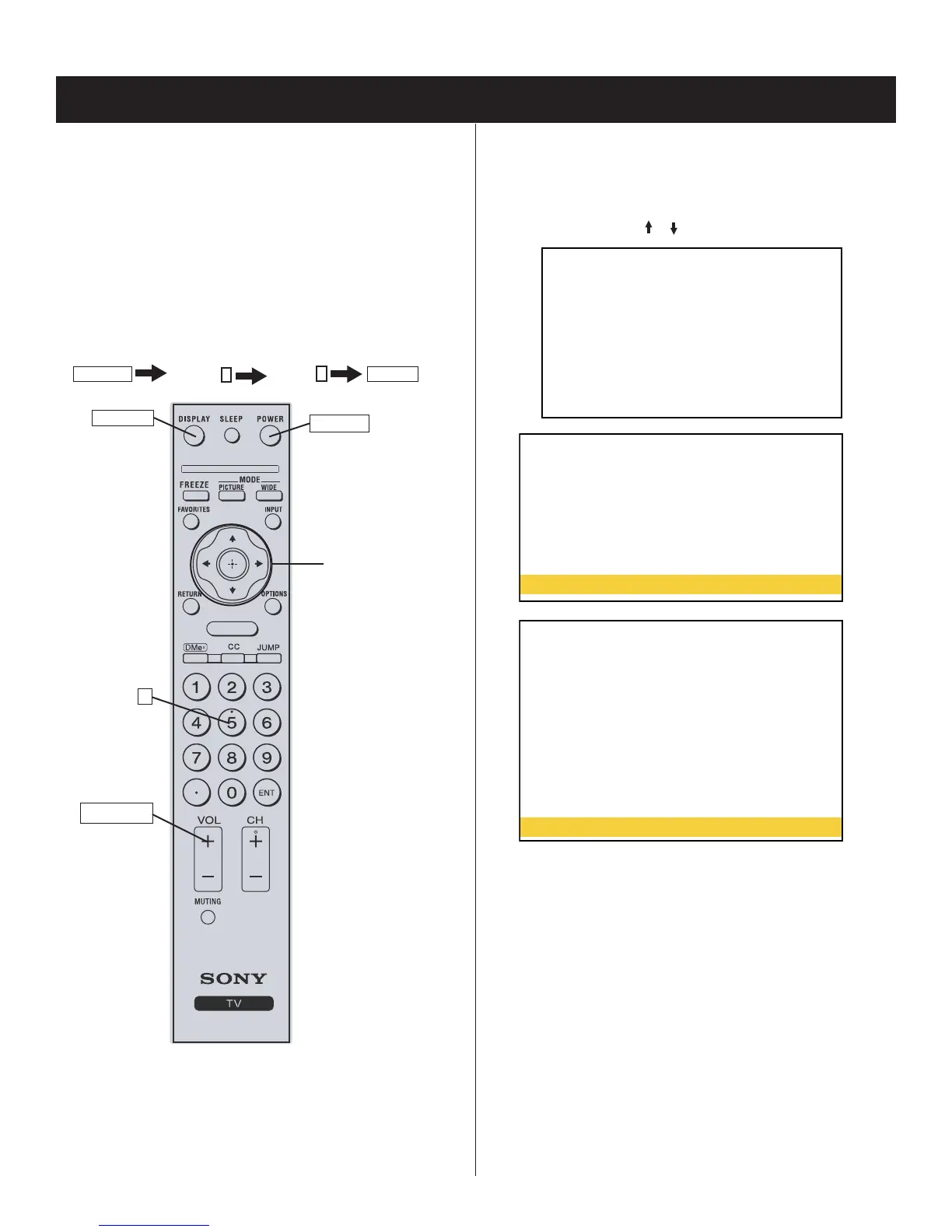
1. TV must be in standby mode. (Power off).
2. Press the following arrows on the Remote Commander within a
second of each other:
DISPLAY
Channel
5
Volume
+
POWER
.
MENU
POWER
Onscreen cursor
and select arrow
DISPLAY
RM-YA008
5
VOLUME+
The fi rst service menu (TV) displays.
SECTION 2: SERVICE ADJUSTMENTS
2-3. VIEWING THE SERVICE MENUS
Use the Remote Commander to view the BE Service Menu options.
1. To display the Service Menu that contains the category you
want to adjust, press the
or arrow on the Remote Commander.
MAIN VER. 1000
BOOT VER. 1000
PACK VER. 1000
CHECK SUM E918
NVM VER. 1025
USB VER. 0000
ETI1 24h
ETI2 24h
TV
R_DRIVE 256
G_DRIVE 256
B_DRIVE 256
R_BKG 512
G_BKG 512
B_BKG 512
COLOR SAVE
T
TEST RESET
AGING MODE Off
AUTO SHUT-OFF On
ETI CLEAR 1
ETI CLEAR 2
INFORMATION RESET
SOUND MUTE On
PRODUCTION 111111111
POWER SAVING On
HPD_EXTRA_TIME 0





 To Next Page