MHC-V50/V50D
20
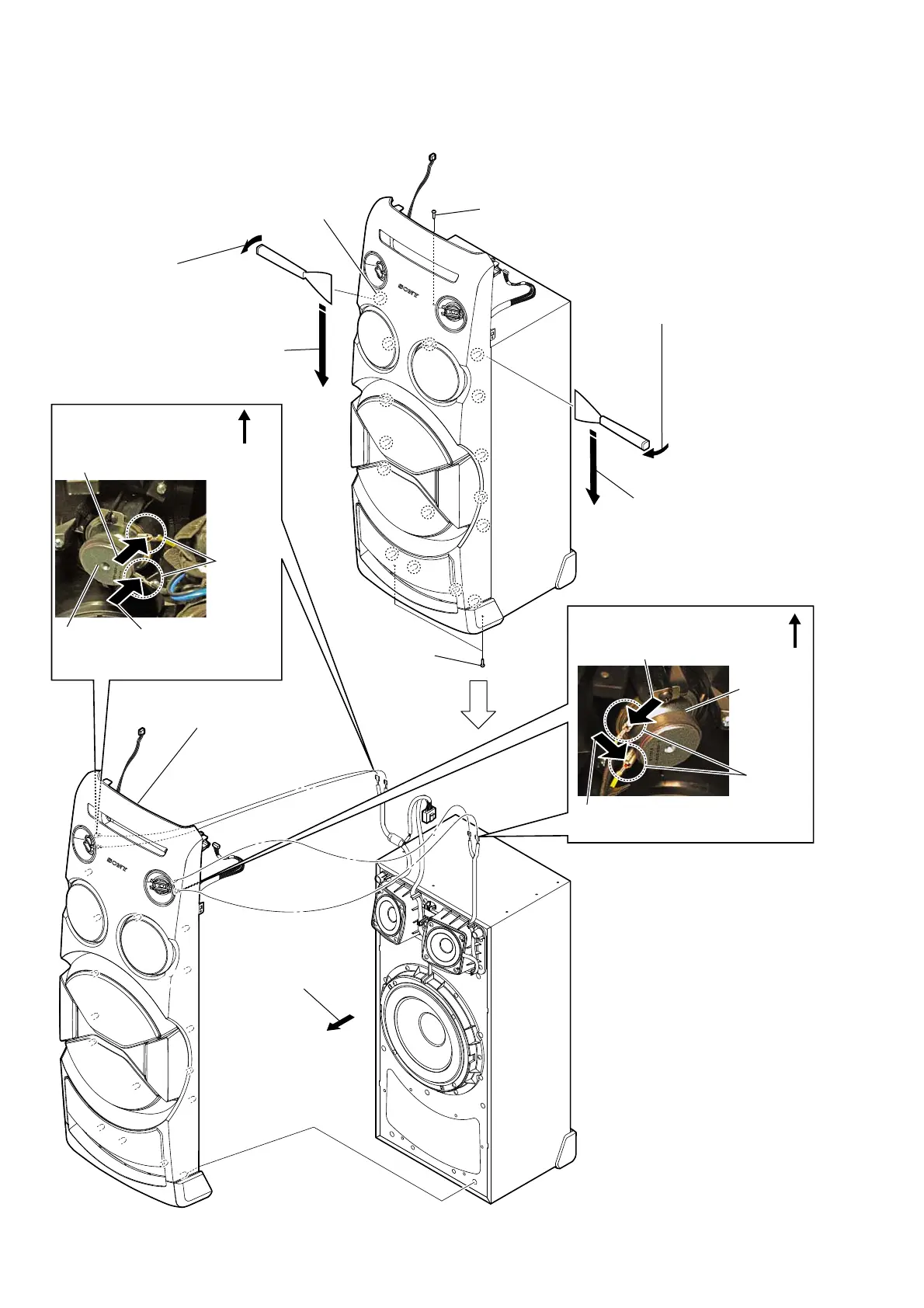
2-12. FRONT PANEL SECTION
:LUHVHWWLQJ
top side
5 Push the protrusion,
and remove the
terminal (narrow side).
5 Push the protrusion, and
remove the terminal
(wide side).
loudspeaker
(4cm)
protrusion
:LUHVHWWLQJ
5 Push the protrusion, and remove
the terminal (wide side).
5 Push the protrusion, and remove
the terminal (narrow side).
top side
protrusion
loudspeaker
(4cm)
total sixteen bosses
3 Insert the jig into a space and slowly
remove the front panel section.
Note 1: When using a jig, please work
so as not to injure front panel
section and speaker cabinet.
7 front panel section
Note 2: When installing the
front panel section,
remove the used glue and
use a new glue to fix
the front panel.
1 one screw ((3.5 x 16), TAPPING)
2 two screws
((3.5 x 16),
TAPPING)
3 Insert the jig into a space and slowly
remove the front panel section.
Note 1: When using a jig, please work
so as not to injure front panel
section and speaker cabinet.
4 All bosses are removed
while moving jig in the
direction of the arrow,
and front panel section
is removed.
4 All bosses are removed while moving
jig in the direction of the arrow, and
front panel section is removed.
6 Remove the front panel
section in the direction
of an arrow.



 To Next Page